SETTINGS
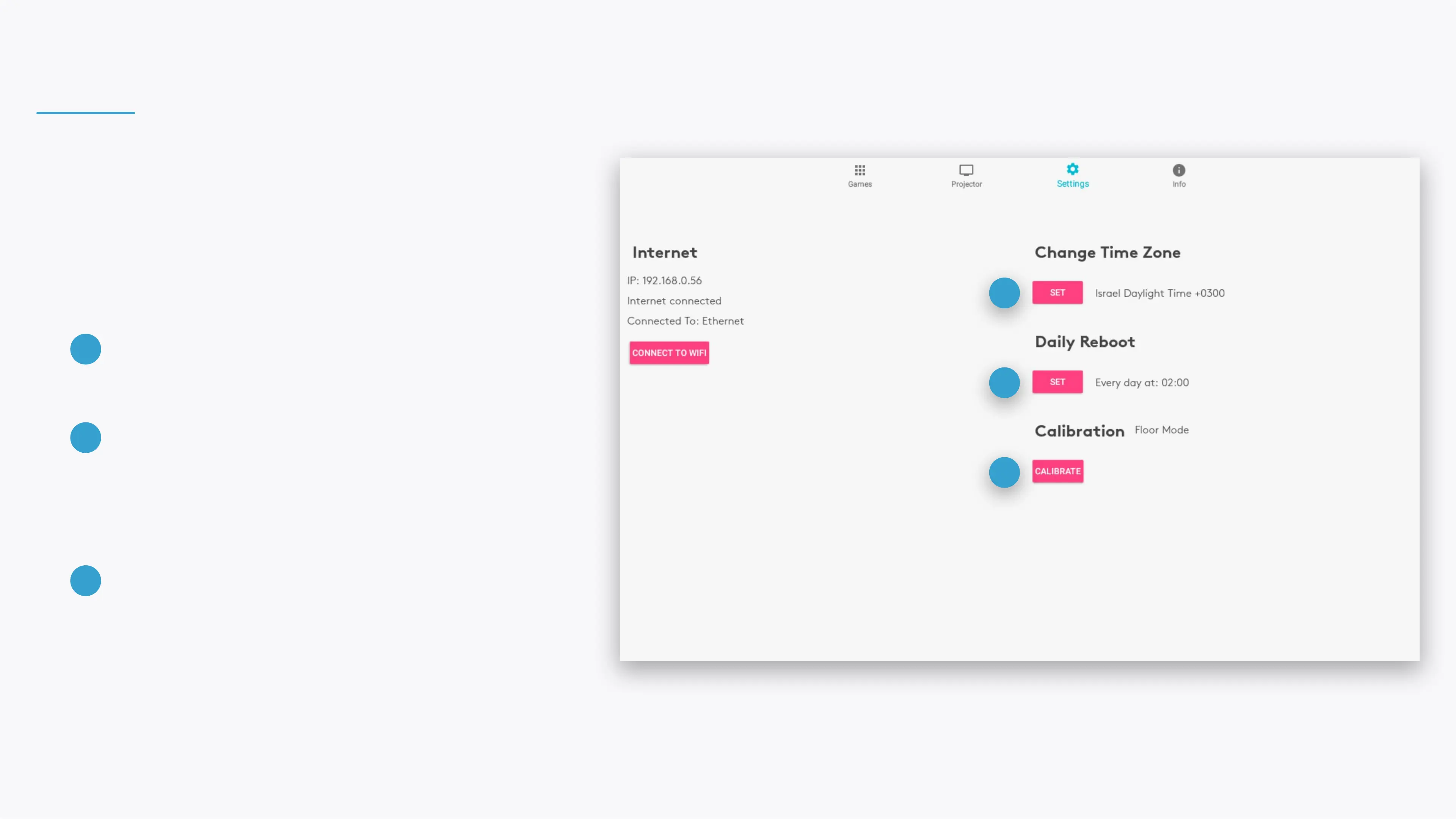
View and control your BEAM's settings.
CHANGE TIME ZONE
Select your device's time zone.
DAILY REBOOT
Set when your device will reboot each day. This
will not be aected by any enabled schedules or
Night Savings.
CALIBRATION
Calibrate the motion tracking to the projection.
1
1
3
1
2
3
Note
Calibration is required after ipping or rotating the projection
(through the projection button in the Projector section), or if your
BEAM doesn't respond to your movements correctly.


 To Next Page