4
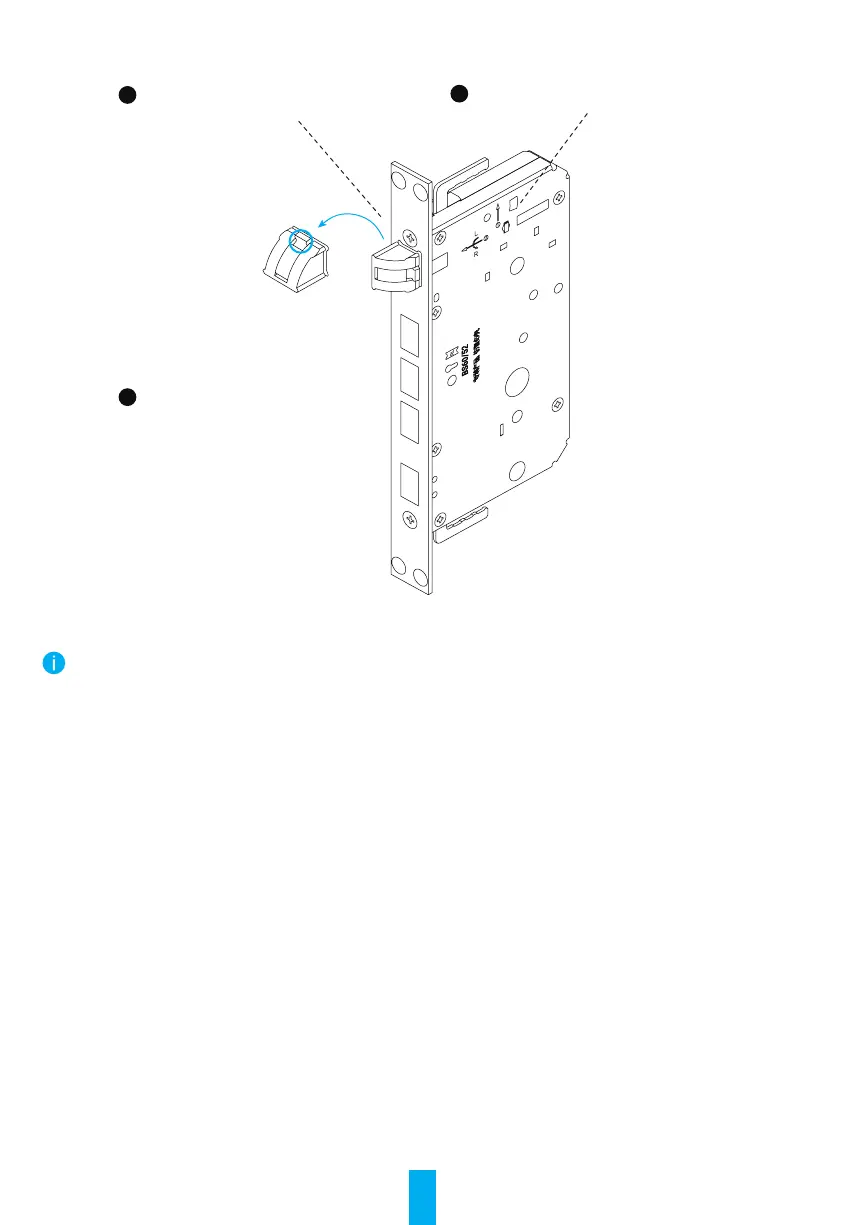
Switch Lock Latch Bolt (Optional)
1
2
3
Uplift the metal here.Rotate the latch bolt 180 degrees.
Turn the central part 90 degrees and
tuck it in.
Push the latch bolt into the
lock body.
Installation Steps
• The standard accessories for this product support installation for 40mm-50mm wooden doors. If the thickness
of the door is beyond this range, please contact your local dealer.
• When xing front and rear panel, do not press internal connection cable.
• When installing front and rear panel, handle with care in case of any panel damage.
1. Drill Hole
The product is applicable to wooden door and burglar-proof metal door. Drill hole in accordance with hole
templet in packing list.
2. Install
Please visit the link below to watch the installation video.
https://support.ezvizlife.com/videos/map?id=38&title=How%20to%20Install%20L2


 To Next Page
 Loading...