2
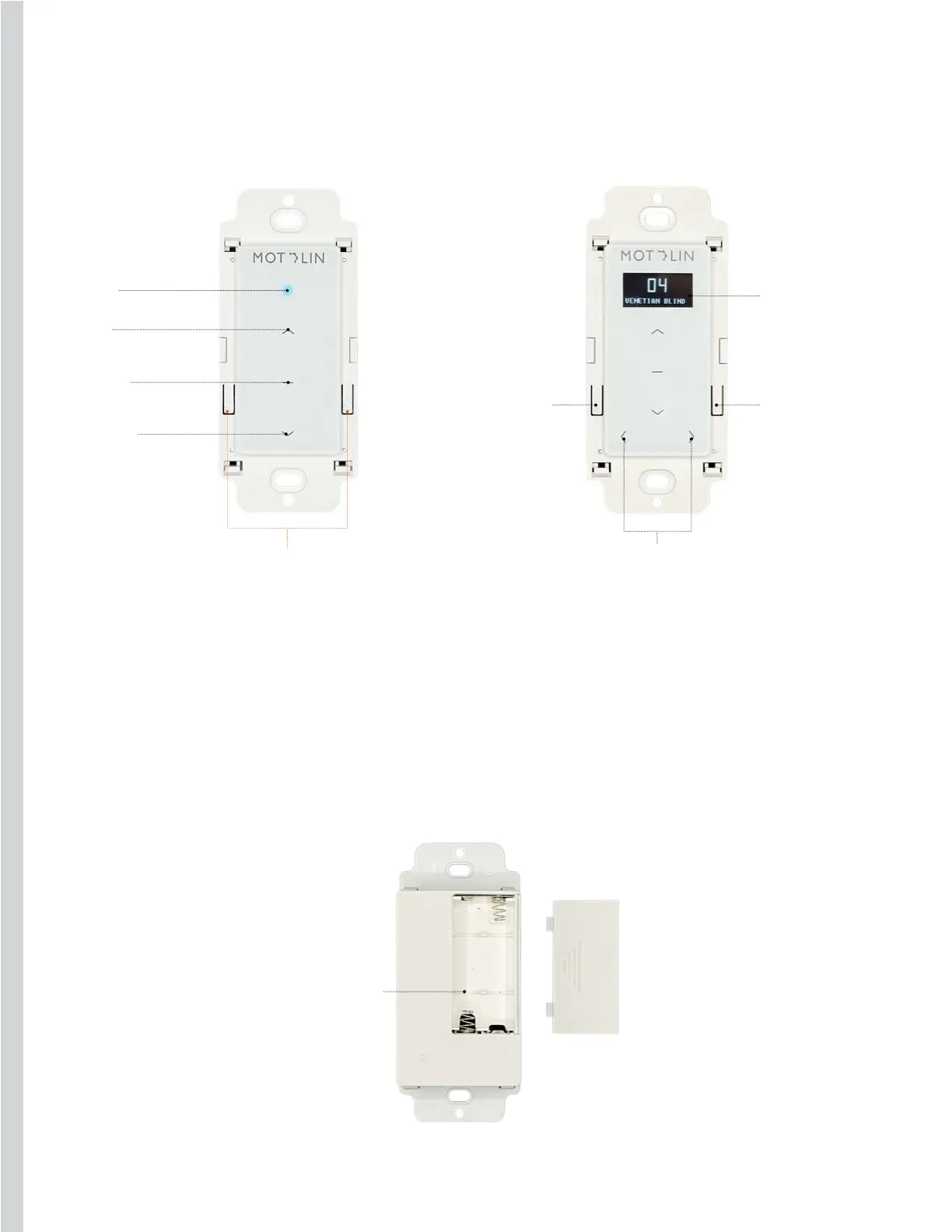
UP
LED
STOP
EDIT
CHANNELS
DOWN
PROGRAM
PROGRAM
BATTERY SLOT
FRONT FRONT
BACK
Battery: AAA
Just as physical obstacles can prevent you from passing from one room to another (walls, for
example), obstacles can block, reduce, or reflect signals, too. The frequency of the remote’s
signal, 433MHz, comes into play, as does the composition of the walls— brick, drywall, glass,
and steel all have dierent properties. Ultimately, the range of the remote depends on the
environment in which the shading system is deployed.
Parts
To edit the name of
each channel
(Maximum of 15
alphanumeric
characters).
Once on edit mode,
click on the UP or
DOWN button to
move between letters/
numbers.
Screen showing the
active channel’s
number & name
Move left or right to
switch between channels
Indicator
For 1 & 2 Channel Remotes For 15 Channel Remote


 To Next Page
 Loading...