GETTING TO KNOW YOUR HUMIDIFIER
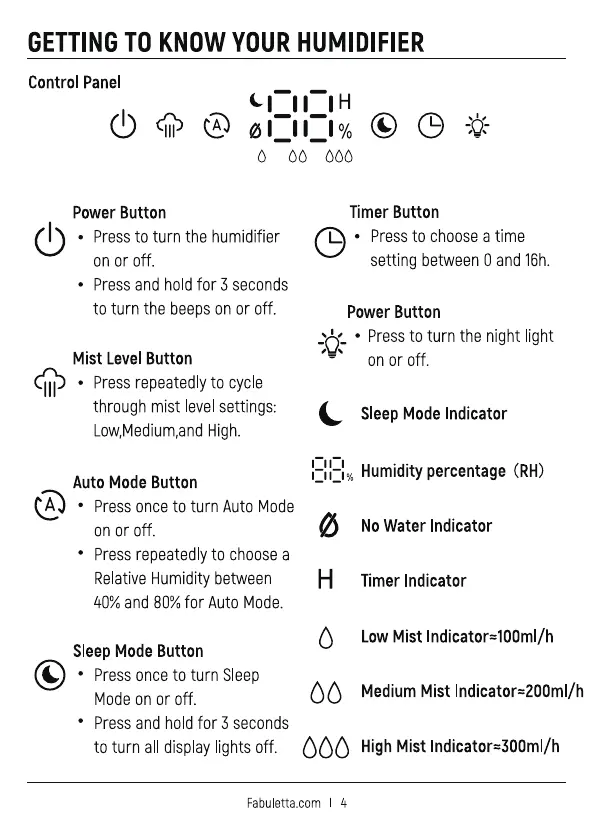
Control Panel
Power Button
• Press to turn the humidifier
on or off.
• Press and hold for 3 seconds
to turn the beeps on or off.
Mist Level Button
• Pressrepeatedlyto cycle
through mist levelsettings:
Low,Medium,andHigh.
Auto Mode Button
• Press once to turn Auto Mode
on or off.
• Press repeatedly to choose a
Relative Humidity between
40% and 80% for Auto Mode.
SleepMode Button
• Press once to turn Sleep
Mode on or off.
• Press and hold for seconds
Timer Button
L • Press to choose a time
setting between0 and 16h.
Power Button
_ _ • Pressto turn the night light
on or off.
Sleep Mode Indicator
Humiditypercentage (RH)
ø
No Water Indicator
Timer Indicator
LowMist Indicator=100ml/h
MediumMist Indicator=200ml/h
to turn alldisplaylightsoff. HighMist Indicator=300ml/h
Fabuletta.com


 To Next Page
 Loading...