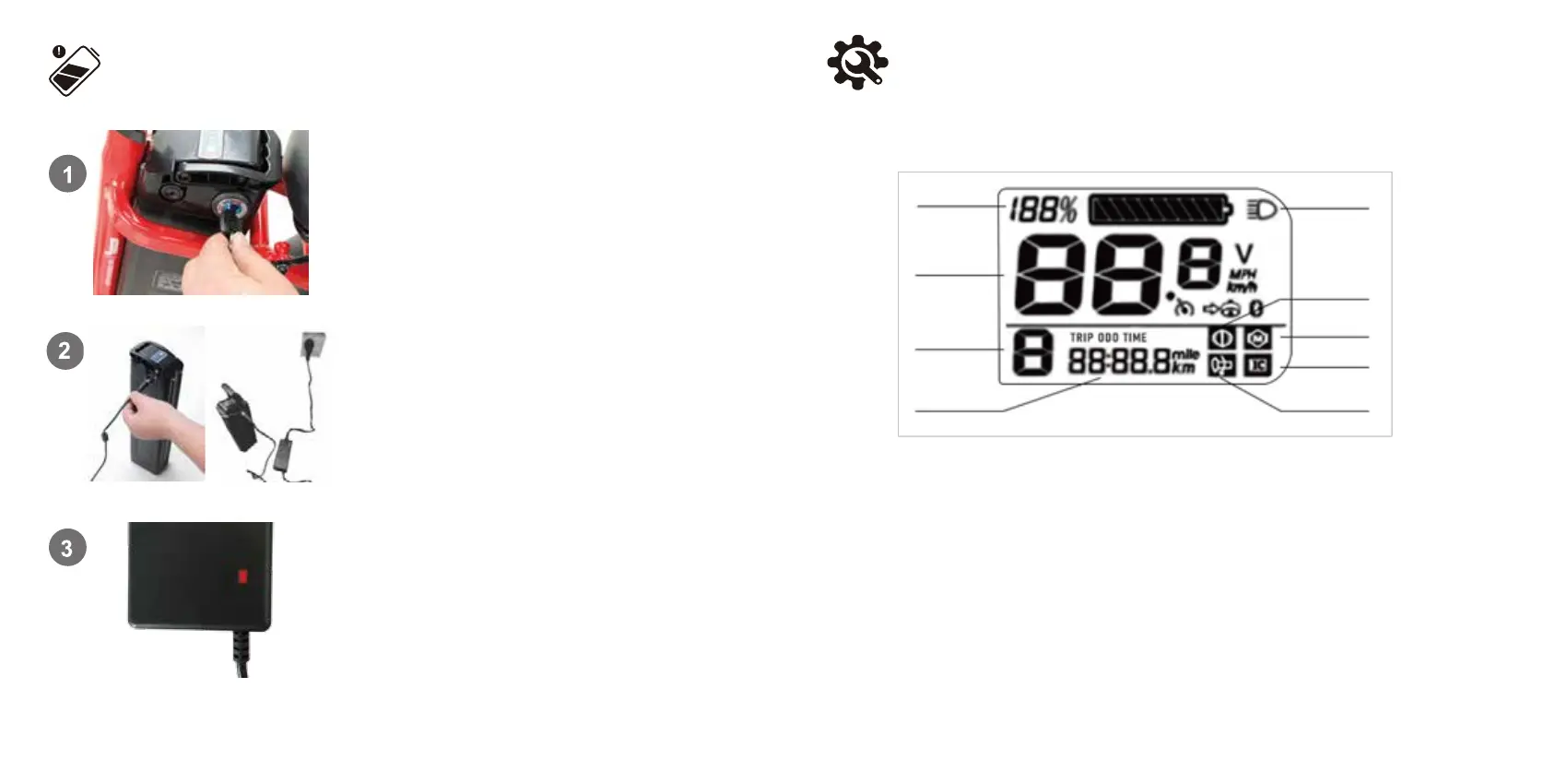
The baery can be charged off the bike. To remove the baery, turn
the key to the UNLOCK posion.
(see the previous remove baery secon for details),
Then carefully pull the baery up unl the baery
detaches from the receptacle.
Remove the rubber cover on the charging port on the opposite side
of the baery from the key switch. Connect the DC output plug from
the charger to the charging port on the side of the baery.
Plug the charger into a power outlet, charging should iniate and
will be indicated by the LED charge status lights on the charger
turning red. Once fully charged, the charging indicator light turning
green. Unplug the charger from the wall outlet first and then
remove the charger output plug from the baery charging port.
14
Charge Your E-Bike
15
Display and Seng
Battery Level
Speed
PAS Level
Multifunctional
display area
Front Light indicator
Brake indicator
Motor fault
Controller fault
Throttle abnormal
TRIP: This number shows distance data for a single trip. Data is automatically cleared when the bike is powered off.
ODO: This number shows odometer data(i.e., cumulative distance)
TIME: This number shows driving time for a single trip. Data is automatically cleared when the bike is powered off.
POWER ASSISTED Level: 0,1,2,3: Displays the current power assisted level.


 To Next Page