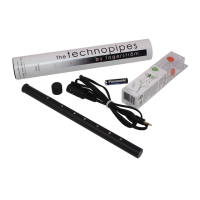
The output volume depends to some extent on the type of earphone plugged in.
The contacts of the chanter are electrical and not mechanical, meaning they do not have to be
pressed down to become activated. The grip does not have to be any firmer than that on the pipe
chanter.
Start-up sequence:
1) Start drones by playing the Drones on fingering combination.
2) Start chanter by playing the Chanter on fingering combination.
It could happen, from time to time, that your fingers are very dry, causing them to become poor
conductors. The chanter, being dependant of electrical conductivity, may then have some trouble
playing the note your fingers indicate, instead producing a squeaky sound, or the wrong note. You
then need to increase the sensitivity. Sometimes, on the other hand, your fingers may be very warm,
and short-circuit the chanter through a very thin film of sweat, causing the chanter to, for example,
play a low A when in fact you play an E. You then need to decrease the sensitivity. The sensitivity can
be set to five different levels.
The low A goes from 185Hz up to 738Hz in steps of 0.1 to 0.7Hz. With Sound set to Smallpipes, the
chanter starts in the key of A (440Hz). With Sound set to Highland Pipes, the chanter starts in the key
of Bb (466Hz). The key of the chanter can easily be set to A, Bb, C, or D. The accuracy is within
±3Hz.
MIDI mode is entered if MIDI combination is fingered at the time the MIDI cable is connected.
The chanter is initially set to channel 1, but can be set between 1 and 14. The bass is fixed on
channel 15 and the tenor fixed on channel 16. The default Low A is MIDI note number 69 (A5). In
MIDI mode, the volume settings for chanter and drones affect the note velocity. It is up to the receiver
to interpret the velocity data. With Sound set to Smallpipes, all notes have equal velocity. With Sound
set to Highland Pipes, the low notes have higher velocity than the high notes, simulating the
characteristics of the Highland chanter. The sound is set to Smallpipes as default. (In MIDI mode,
metronome and recording are not available.)
The chanter can record more than 500 notes. You can play along with the recorded notes to practice
phrases, seconds, etc. When recording, the first note and the last note preceding the Sound off note
are not stored for simplifying the creation of loops. The recorded track is played back on the right
channel, and you play along on the left channel. The playback speed can be set between ¼ and 2
times the recorded speed.
Typical recording sequence:
1) Start drones and chanter.
2) Play the Recording fingering combination.
3) Put your lower hand thumb on both the +control and -control. A high pitched beep indicates
recording mode.
4) Record as long as you like, or until the memory is full (indicated by a low pitched beep).
5) Play the Sound off note.
6) Start playback by turning drones on.
7) Start chanter and play along.
8) Exit recording mode by 2) and 3) above. A low pitched beep indicates normal mode.


 To Next Page
 Loading...