11
third time (8). The light indicator for
each time of ventilation will light up
(mod. CA-60C does not have a light
indicator for “normal” mode).
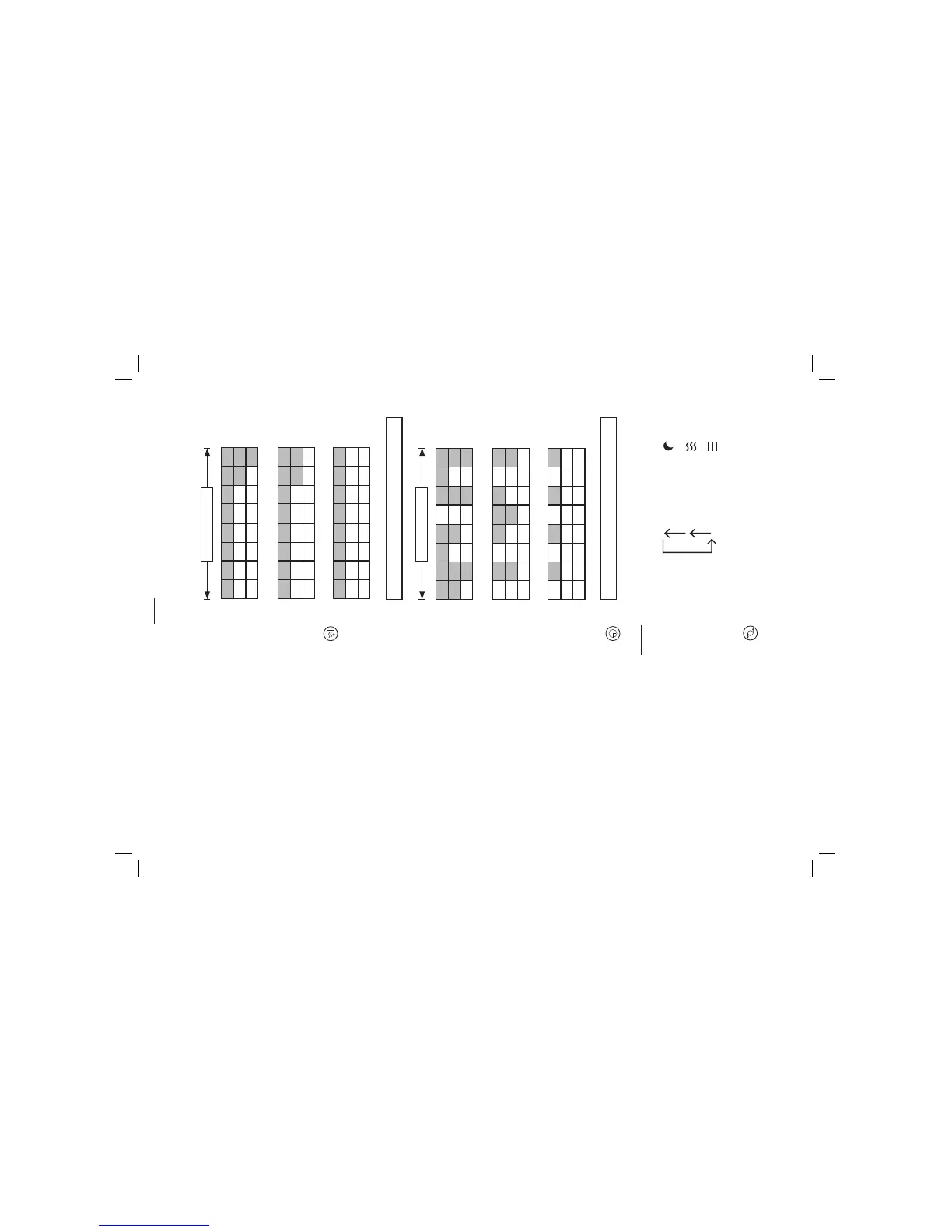
“Normal” mode
“Natural” mode
“Night” mode
These are “natural” and “night” ventilation
type operating modes according to the
speed selected:
NATURAL MODE
Low speed
High
Medium
Low
Medium speed
High
Medium
Low
High speed
High
Medium
Low
6 sec. x 8
NIGHT MODE
Low speed
High
Medium
Low
Medium speed
High
Medium
Low
High speed
High
Medium
Low
1h.x8
Oscillation: Press the oscillation
button (9) (mod. CA-70CI “e”) (on
mod. CA-60C the oscillation light
indicator will light up) to make the
fan oscillate horizontally and thereby
cool larger spaces more efficiently. If
you wish to stop oscillation, press the
same button again.
Timer:
Mod. CA-60C
Pres the timer button (10) if you
wish to select an operating period
of 1⁄2 hour to 7 1⁄2 hours. Each time
you press the timer button, the time
will increase by 1⁄2 hour. Once you
reach 7 1⁄2 hours, press the timer
button (10) again and the fan will
return to continuous operation. The
lights on the top part will indicate the
time period selected. Once the time
selected is exceeded, the fan will
switch off automatically.
Mod. CA-70C
This fan has a timer range of 1 to 18
hours (g). You may set it for the fan to go
off automatically after the programmed
operation time.
Press the timer button (10) to set the time.
Each time you press the button the time
will increase by half an hour. Stop pressing
it when you reach the desired time and
the timer will set itself. To cancel the timer,
press the button until it reaches 0:00.
Ioniser: Press this button (11) to
activate the ioniser function. The fan
will emit negative ions to clean and
purify the air.
Mod. CA-60C
« The light will
indicate whether or not this function is
activated.
Mod. CA-70 CI
« The ion indicator
will appear on the LCD screen (d).
Press the button again to deactivate
this function.



 To Next Page