Apply pressure.
Bed and Chair Weight-Sensing Pads
After two beeps, release pressure.
Press the Reset button to reset the
monitor.
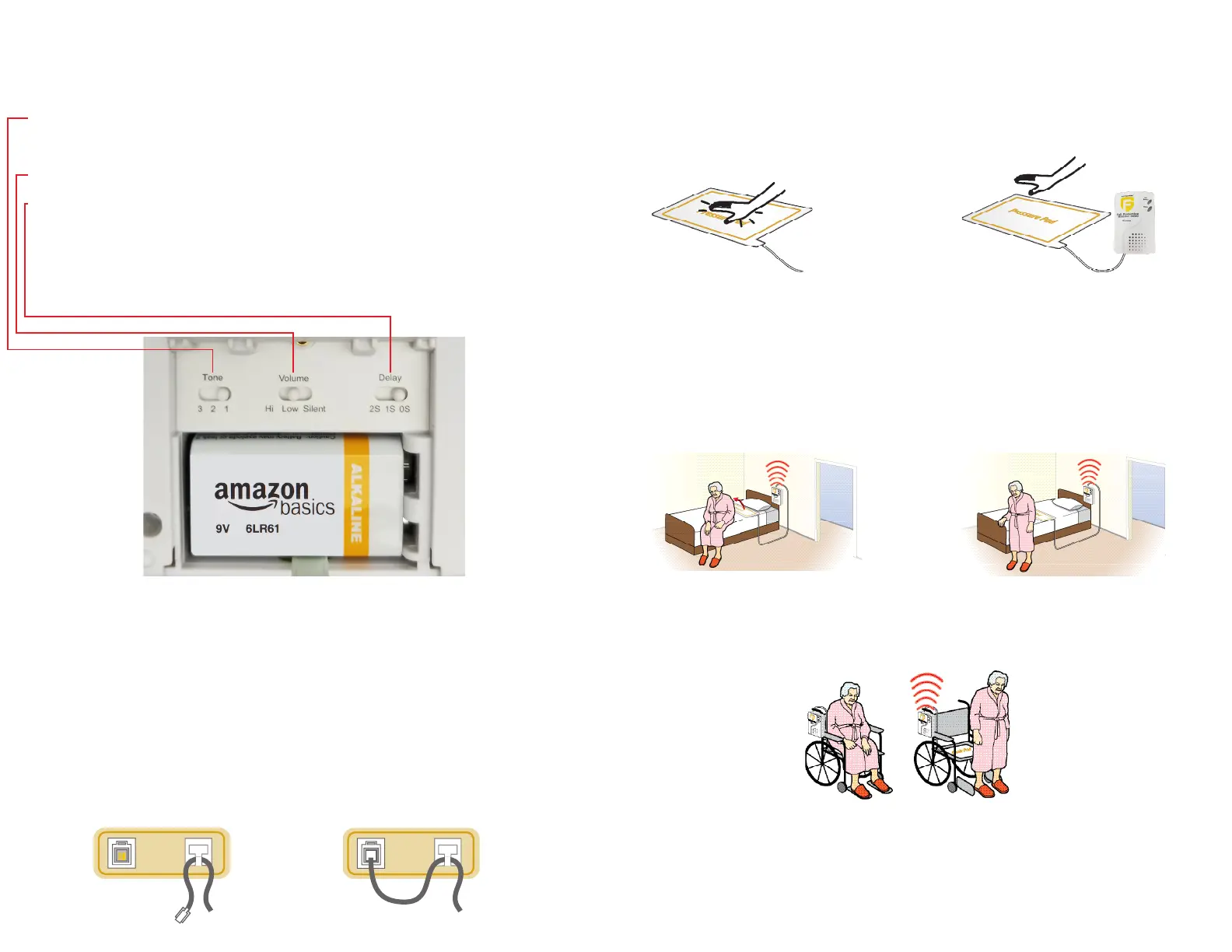
• Set tone switch to Tone 1 (1 beep), Tone 2 (2 beeps), or Tone 3
(3 beeps).
• Set the alarm volume high or low.
• A one second delay can usually allow the resident to reposition
in bed without triggering the alarm.
2
3
4
Adjust Tone, Volume, and Delay
Options to the Desired Level
Connect Sensor Device
Test the System
*To silence the monitor, move volume dial to “Silent”. Warning: In silent position, you
MUST use a pager.
Bed Placement
• Place the pad under shoulders to be alerted when the patient sits up in bed.
• Place pad under lower back/buttocks to be alerted when the resident
vacates the bed.
• Place the monitor out of reach of patient. Suitable mounting locations include:
back of headboard, wall or under bed. Make sure the resident cannot tamper with
monitor. (It is the caregiver’s responsibility to route the cord under the sheet so the
resident cannot tamper with it).
1 2
Wheelchair/Chair Placement
• Center pad on the chair seat under buttocks.
•Place the monitor out of reach of the resident. Suitable mounting location is the
back of wheelchair, so that the resident cannot tamper with monitor.
Important: Test the System
• Plug the pad into the monitor and apply weight to the pad to activate the system.
The monitor will beep twice when activated.
• The alert tone will sound when weight is removed from pad. Press the “Reset”
button on side of monitor to silence the alert. The status light on the front of
monitor will blink when pad is plugged into the monitor and pressure is on pad.
• Plug sensor device cord into monitor.
• Lace cord through the T-shaped strain relief to guard against
accidentally unplugging the device and cord damage.
• Make sure the cord is placed so it is well out of resident’s
reach and is not a tripping hazard.



 To Next Page
 Loading...