18
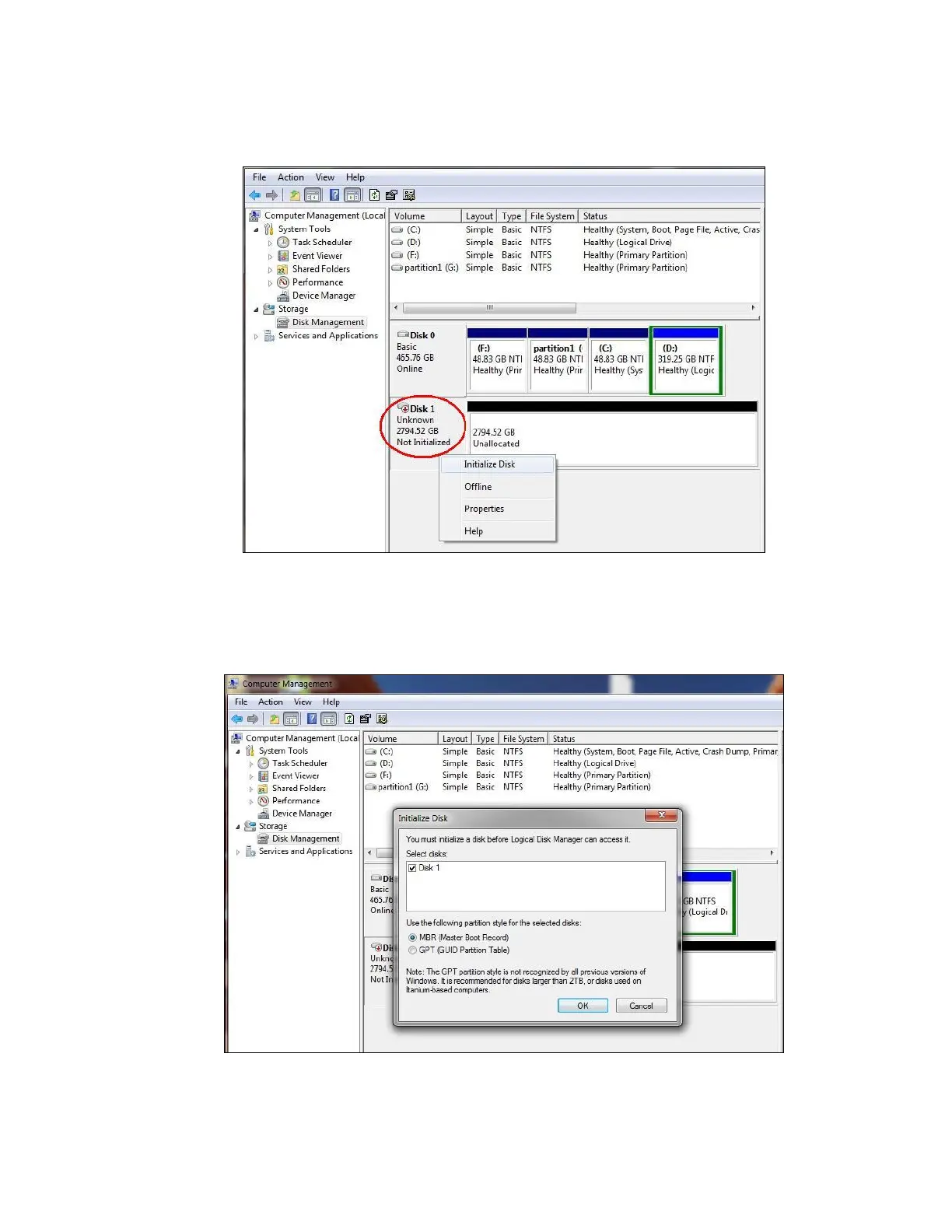
1. Right-click the “Not Initialized” area, a disk’s initialization menu will appear as below.
Select “Initialize Disk” and follow the steps of the HDD Formatting Guide wizard to
complete disk initialization.
Note: Windows Vista and 7 will ask what kind of disk type you want to make, “MBR” or
“GPT”. Please Activate MBR if the total volume is less than 2TB. If the total volume is
more than 2TB please activate GPT.



 To Next Page