17
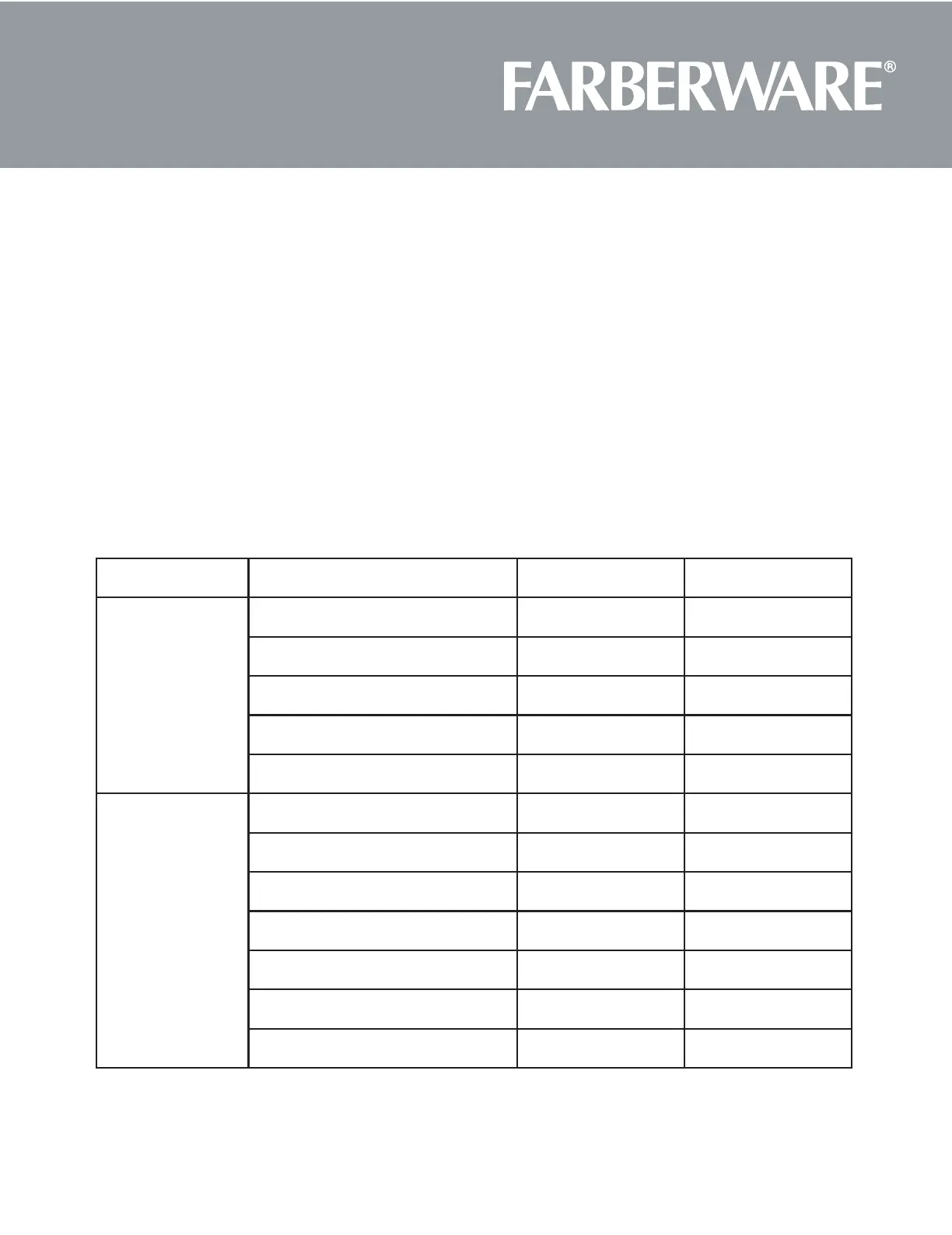
AUTO MENU CHART
MENU ITEM DISPLAY WEIGHT
Auto Cook
Bacon CC-1 2-6 SLICES
Roll/Muffin CC-2 1-6 PIECES
Beverage CC-3 1-2 CUPS
Chicken Pieces CC-4 0.5-2.0 lbs
Oatmeal with Milk CC-5 20/40 oz
Soften/Melt
Melt Butter S-1 1-3 STICKS
Melt Chocolate S-2 4 or 8 oz
Melt Cheese S-3 8 or 16 oz
Melt Marshmallows S-4 5 or 10 oz
Soften Butter S-5 1-3 STICKS
Soften Ice Cream/Frozen Juice S-6 6, 12, or 16 oz
Soften Cream Cheese S-7 3 or 8 oz
10. AUTO COOK
(1) Press "Auto Cook" once,the screen will display "CC-1".
(2) Press "Auto Cook" four more times, "CC-2", "CC-3", "CC-4", "CC-5" will display in order.
(3) After selecting Auto Cook setting, press the number pad to enter the weight of the food item.
(4) Press "START/+30SEC" to start cooking. Oven beeps 5 times when cooking is finished
11. SOFTEN/MELT
(1) Press "Soften/Melt" once, the screen will display "S-1".
(2) Press "Soften/Melt" six more times, "S-2", "S-3", "S-4", "S-5", "S-6", "S-7" will display in order.
(3) After selecting Soften/Melt setting, press the number pad to enter the weight of the food item.
(4) Press "START/+30SEC" to start cooking. Oven beeps 5 times when cooking is finished.







 To Next Page