13
Time counting down
(3 seconds later)
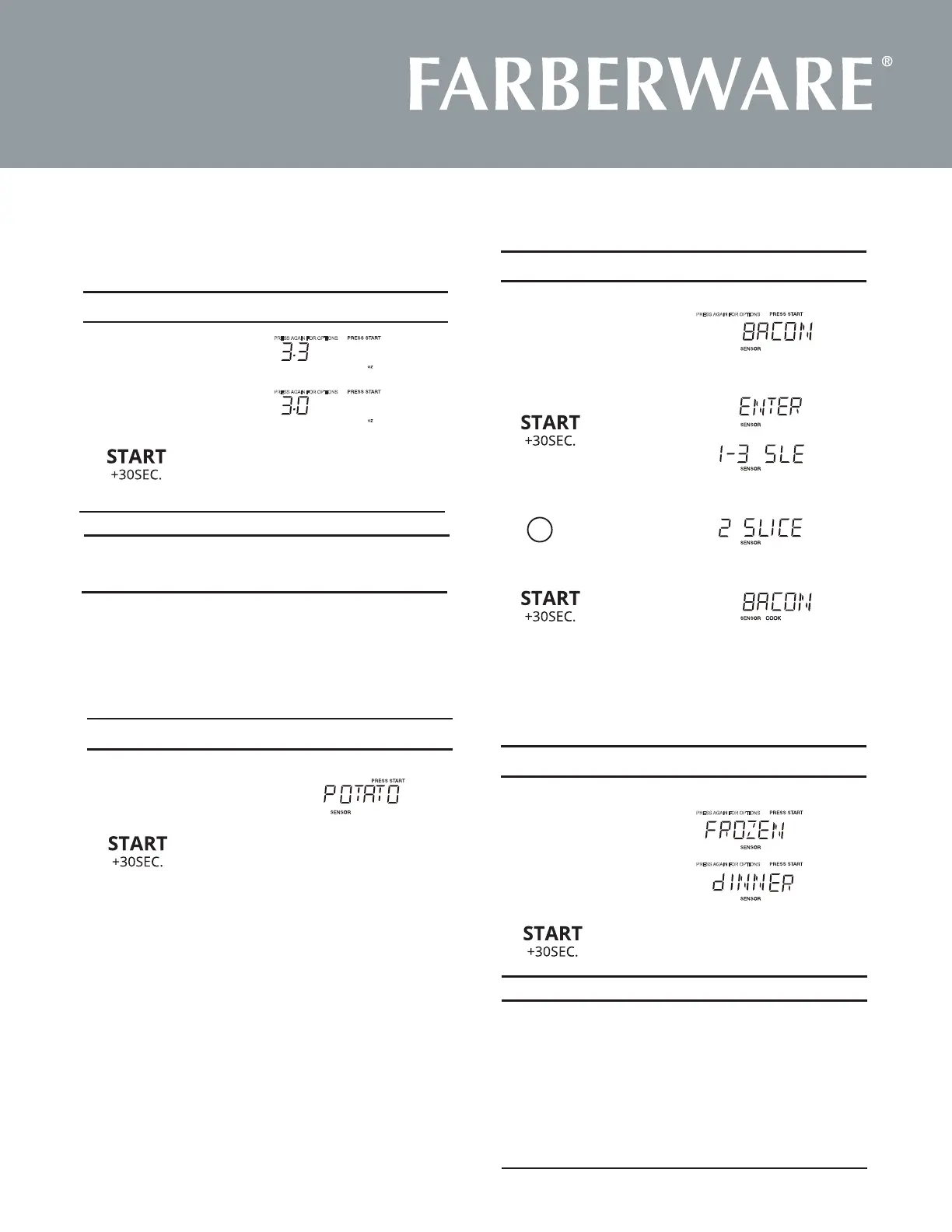
Potato
1.
2.
Display Shows:T o u c h :
Potato
1.
2.
2.
3.
Display Shows:T o u c h :
Sensor Cook X1
Display Shows:
1.
Sensor Cook X2
T o u c h :
PRESS AGAIN FOR OPTIONS
PRESS AGAIN FOR OPTIONS
PRESS AGAIN FOR OPTIONS
PRESS AGAIN FOR OPTIONS
PRESS AGAIN FOR OPTIONS
Time counting down
Time counting down
3.
1.
Display Shows:T o u c h :
• Suppose you want to cook 3.0 oz. popcorn.
PopcornX2
Popcorn
Amount
3.
3.0 oz.
X1
X2
3
oz.
Press Popcorn Pad
Amount
Food
X1
Press Sensor Cook
1-3 slices
10 oz / 20ozX2
X3
1-4cups
1-2cups
8-12oz
1-4cups
X4
X5
X6
Bacon
Frozen Dinner
Rice
Frozen Breakfast
Fresh Veggiest
Frozen Veggies
2.
2
Sensor Cook
Bacon
4.
The weight of these menus cannot be adjust;
(Frozen Dinner,Rice,Frozen Breakfast,Fresh Veggiest,
Frozen Veggies)
Popcorn
Press “Popcorn” key and LED displays 3.3 oz. and the “PRESS
AGAIN FOR OPTIONS” icon. You can press “Popcorn” key
again to select 3.0 oz.






 To Next Page