4
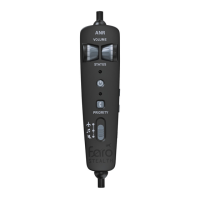
A. Volume Control: You can independently
adjust the volume from your Audio Link for
each ear.
B. Power Status / Button: Press and hold for
one second to turn on or o Audio Link.
LED indicates the power source and its
status.
C. Bluetooth Status / Button: Press and
hold for one second to turn on or o the
Bluetooth. LED indicates the Bluetooth
status. Additional phone functions are
available.
D. Audio Priority Switch: Controls how Aux
audio and transmissions are prioritized.
E. Aux Input: Use the provided 3.5 mm cable
to connect to your audio source without
Bluetooth.
F. USB-C Input: Power your Audio Link via
USB instead of through batteries.
G. Bluetooth Volume: Adjust your Bluetooth
device volume.
5


 To Next Page