6
Bluetooth.
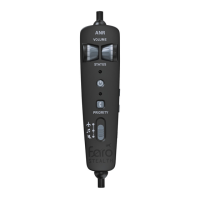
To switch on Bluetooth:
Press the Bluetooth button for more than 1 sec-
ond to turn on Bluetooth, Audio Link will begin
searching for it.
To switch o Bluetooth:
Press the Bluetooth button for more than 1
second.
On your device, look for the Bluetooth name
“BT- ANR.” If prompted for a code, enter 0000.
Tips:
Bluetooth connects with the last device auto-
matically. If no connection is made within 3
seconds, Audio Link will start to search for new
devices.
Please disable Bluetooth on your last device to
connect Audio Link to a new phone.
7


 To Next Page