08.08.2018 16
TANlock – Configuration
via TANlock-Explorer
2
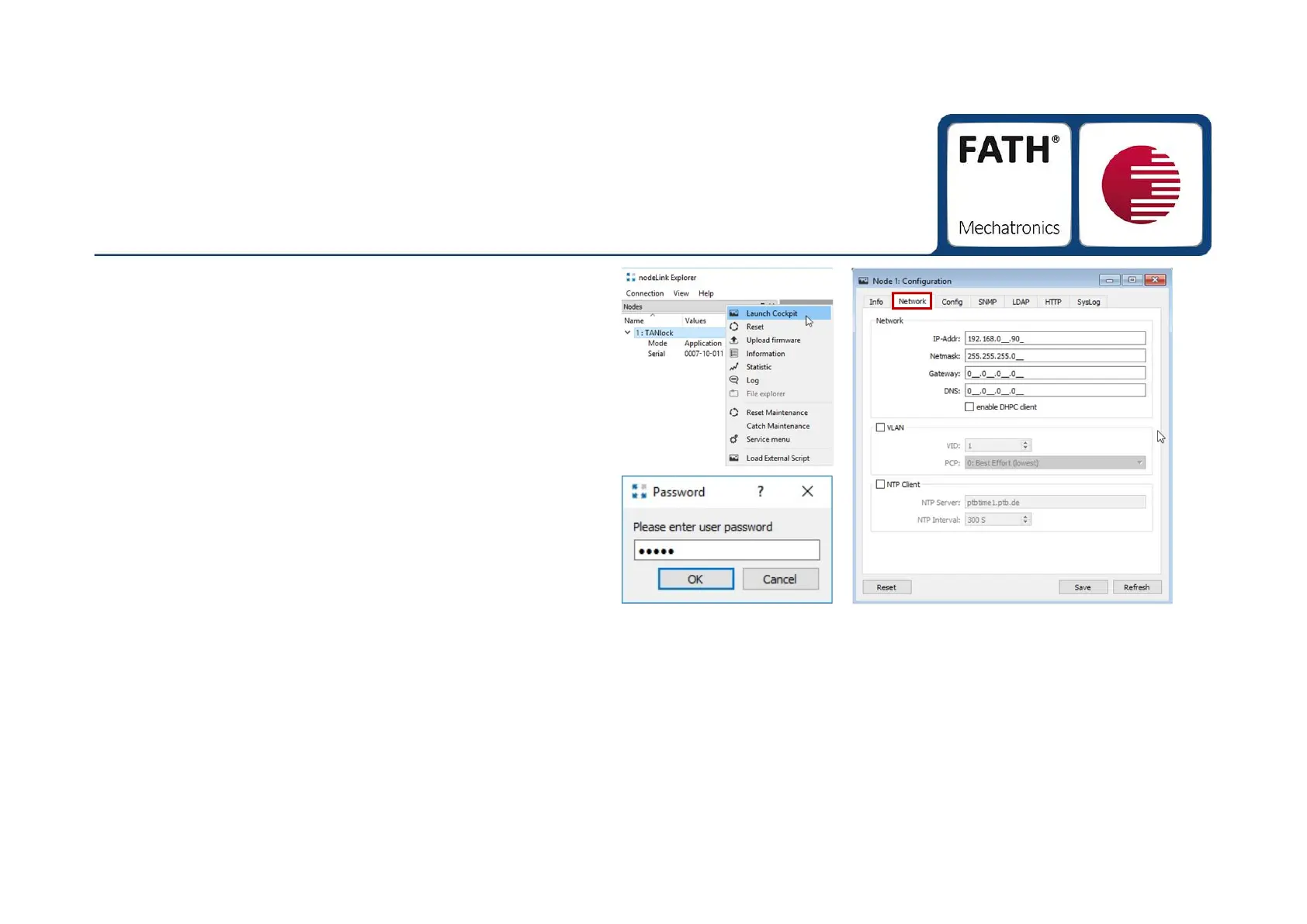
. Right-click on the word TANlock and select "Launch
Cockpit", see picture 1.
3.
It opens a password window. Enter the password
"91174" here, see picture 2.
4.
Confirm the next window with "OK".
5.
The configuration window opens, see picture 3.
6.
In the "Network" tab you can now change your IP
settings. You must confirm all changes with "Save" and
conclude by right clicking on the word TANlock with
"Reset" (see picture1).
Bild ①
Bild ②
Bild ③


 To Next Page