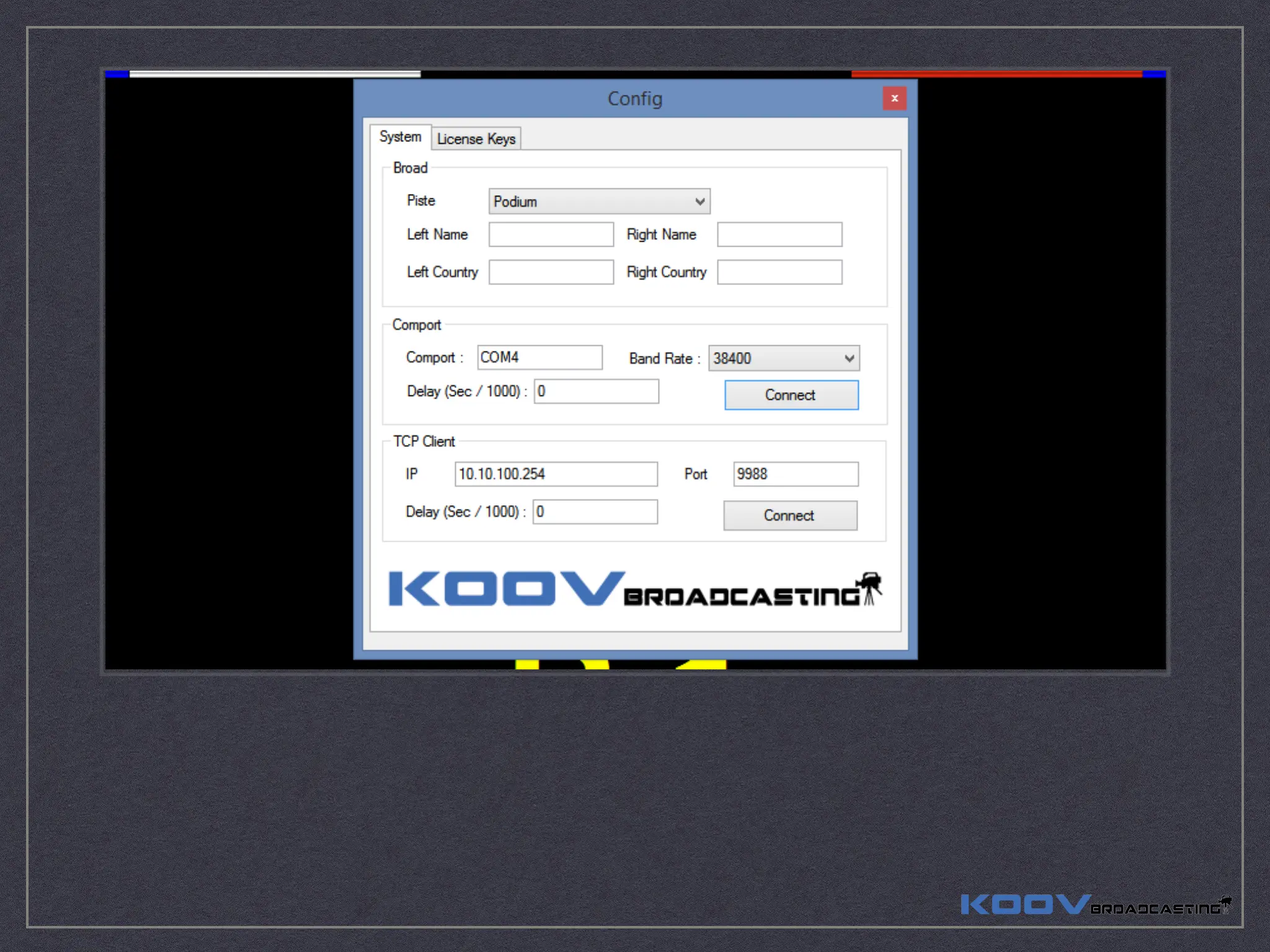
if you using “RS422 DB9 Cable & ComPort to USB” (wire) or “Bluetooth Adapter” (wireless - bluetooth), Insert your Comport Number,
select Band Rate to “38400” and click “Connect”.
if you using “ComPort RS422 to Wifi Communicator” (Wireless - Wifi), Insert the Communicator “IP” and “Port” and click “Connect”.
* “IP address” and “Port Number“ will show on the ComPort RS422 to Wifi Communicator.
Now you can see the Scoring Board TV system “Match Time” synchronise with the Scoring Machine. if “Yes” that’s mean your
connection is GOOD. otherwise, you need to check your cable, connection, ComPort number and do it again.


 To Next Page