4.2 Switches
Designation Comments
Alarm Acknowledge Silences the panel audible sounder. This must be pressed once for each
Alarm condition present in the system.
Trouble Acknowledge Silences the panel audible sounder. This must be pressed once for each
Trouble or Supervisory condition present in the system.
Signal Silence Press once and any outputs programmed as silenceable will be deactivated.
(All applicable silence LEDs will light). A second activation will re-activate
the previously silenced outputs. This switch only functions if an Alarm
or Supervisory condition exists in the system.
Lamp Test/Reset Press momentarily and all LEDs (including all elements in the display)
will light momentarily.
Menu/Back Used in programming. The display will prompt the operator as to
which function applies. “Menu” is pressed to initially put the 7100 into
programming mode. The “Back” function will step the operator out of
the programming mode one element at a time.
BKSP/Edit Used in programming. The display will prompt the operator as to
which function applies.
OK Accepts any changes made in the programming field.
Alphanumeric Keys These 12 keys allow the user to choose a specific point address by using
the numbers for point sensitivity reading, disabling an address, etc.
Press each key the number of times necessary to display the correct character
on the display.
Example: Pressing the “2" key
Once will display the letter ”A"
Twice will display the letter “B”
Three times will display the letter “C”
Four times will display the number “2"
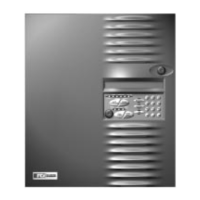
PK-625 Key Switch This key switch is keyed alike with the door lock, and must be operated in
order to activate the key pad.
Table 7
24 of 43 9000-0447
Technical Manuals Online! - http://www.tech-man.com


 To Next Page
 Loading...