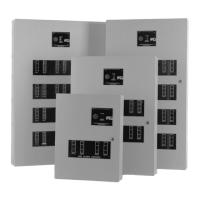
Terminal /Wire Function
RZM Remote Zone Module
TB1-1 (+) 24 VDC Input power from SPSU-V TB1-5 (resettable)
TB1-2 ( - ) 24 VDC Input power from SPSU-V TB1-3, 4
TB1-3 Not used
TB2-1 (+) Connects to signaling line circuit positive (IN/OUT)
TB2-2 ( - ) Connects to signaling line circuit negative (IN/OUT)
RSM Remote Signaling Module
TB1-1 (+) 24 VDC Input power from SPSU-V TB1-5
TB1-2 ( - ) 24 VDC Input power from SPSU-V TB1-3, 4
TB1-3, 4, 5, 6† Not used
TB2-1 (+) Connects to signaling line circuit positive (IN/OUT)
TB2-2 ( - ) Connects to signaling line circuit negative (IN/OUT)
RZST-1, -2 Transponder Cabinet with RZB installed
TB6-1* (+) 24 VDC Input power from SPSU-V TB1-5
TB6-2 ( - ) 24 VDC Input power from SPSU-V TB1-3, 4
TB6-3 (+) Connects to signaling line circuit positive (IN/OUT)
TB6-4 ( - ) Connects to signaling line circuit negative (IN/OUT)
* Not used with RZST-2
RZST-1, -2 Transponder Cabinet with RSB installed
TB6-1* (+) 24 VDC Input power from SPSU-V TB1-5
TB6-2 ( - ) 24 VDC Input power from SPSU-V TB1-3, 4
TB6-3 (+) Connects to signaling line circuit positive (IN/OUT)
TB6-4 ( - ) Connects to signaling line circuit negative (IN/OUT)
* Not used with RZST-2
† When coded inputs are required, consult RZST Installation Instructions, P/N 9000-0172.
Table 3 Module Connections
Address Switch Numbers
Number 123456
1X
2X
3XX
4X
5XX
6XX
7 XXX
8X
9XX
10 X X
Table 4 DIP Switch settings for CPM, RSM Modules
“X” = Place DIP
switches in the
“ON” position
3.4 Module Addresses
Each module has a DIP switch for assigning the address. See Table 4 for address information for the Control
Point Module, CPM and Remote Signaling Module. See Table 5 for all other modules.
11 of 12 9000-0437



 To Next Page
 Loading...