OPERATION GUIDE
Normal connection mode:
Put two AA battery into the battery slot, plug the receiver into your device and
turn on it, and then turn on your microphones and enjoy it!
1
2
If you nd NO SOUND, please make sure :
1.There is enough power for the microphones and receiver;
2.Insert the receiver into the MIC jack, NOT the AUX jack;
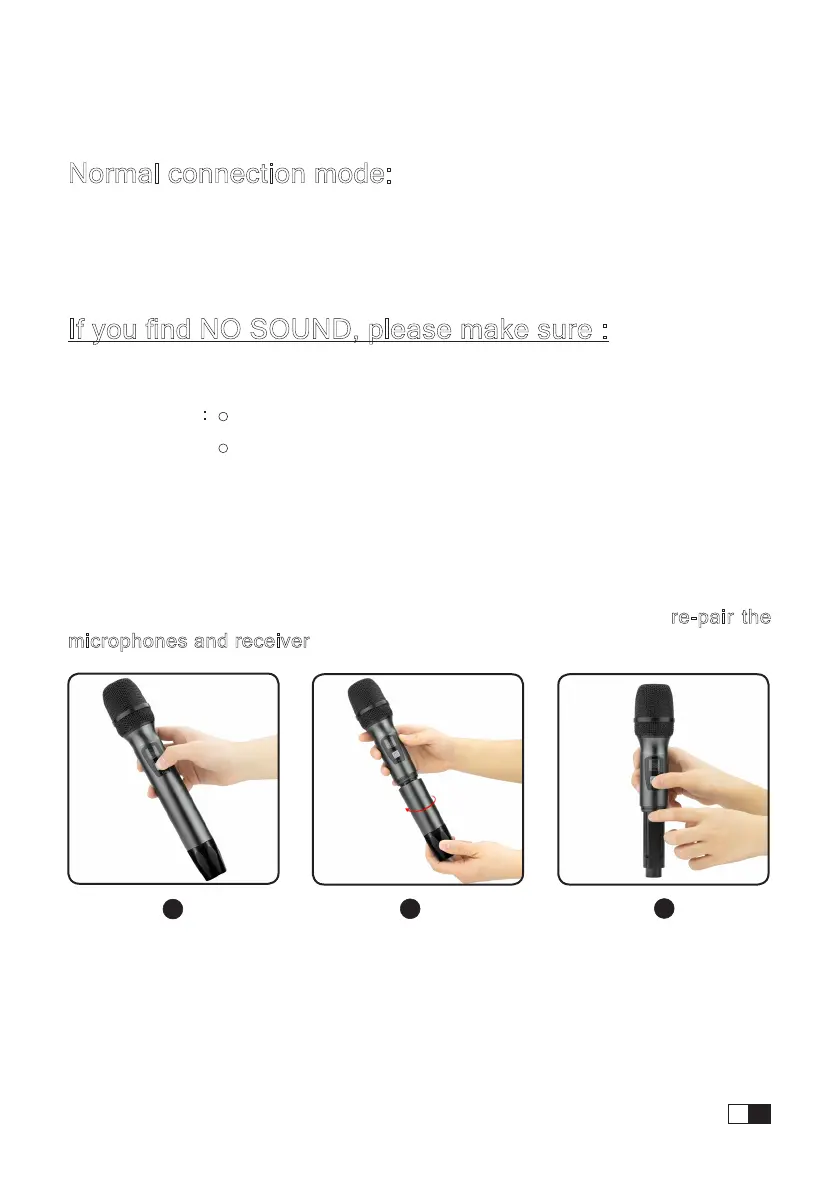
3.The microphones are paired to the receiver. If not, you can re-pair the
microphones and receiver by the following steps:
Turn OFF the microph-
ones and the receiver.
Spin and open the
bottom battery shell.
Keep pressing frequency
select button and the
microphone on/o button
at the same time until the
display screen ashes.
Power reminder:
Microphones: display in the screen
Receiver:
Blue:Receiver ON
Red: Low Battery Power/ Charging
Green:Charging nished.
1
2
3
EN
03


 To Next Page