Chapter One: Setting Up FSMS
38 FedEx Ship Manager
®
Server User Guide, Version 7.6
Adding a New Meter in the Shipper Settings window:
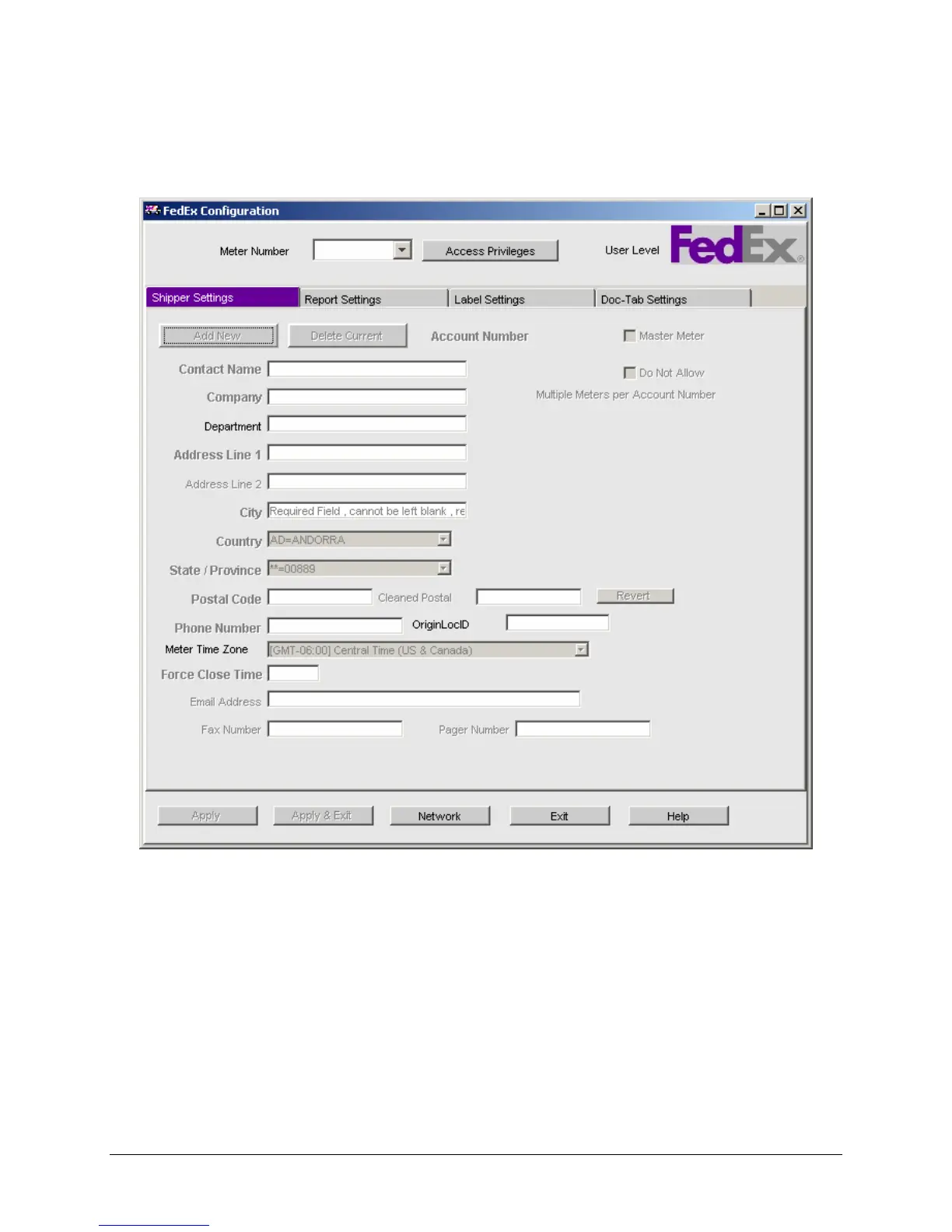
Select the Shipper Settings tab in the FSMS Configuration window. The following is a sample Shipper
Settings window:
All required information on the Shipper Settings window must be entered prior to configuring any other
information in the FSMS Configuration Utility. Required information is bolded. The Shipper Settings
window allows you to add meters (both Master and Child) for shipping from your specified locations. The
first meter to be entered in this window is the Master meter. All subsequent meters entered added to the
FSMS configuration are Child meters associated with the Master meter.
When the FSMS Configuration Utility is launched, only the tabs that can be edited without entering a
password into the Access Privileges box will be displayed. The remaining tabs can be viewed without
editing capabilities by clicking the Access Privileges button and typing “View” (capital V) into the
Access Privileges box. Editing information on the hidden tabs requires a higher level password. Contact
your FedEx Customer Service Representative for assistance if access to these tabs is required.


 To Next Page
 Loading...