2 Reset
Pos: 11 /IDP/Man uals/Ü bersc hrift en/1/Re set @ 3\mod_1542030229425_10021.docx @ 56199 @ 1 @ 1
2 Reset
Reset
Pos: 12 /IDP/M anual s/PAN MOBI L/Res et @ 3\mod_1542016708957_10021.docx @ 55649 @ @ 1
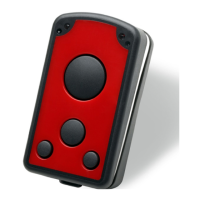
To reset the ID PM ECCO+ press and hold the keys 1, 2, 3 and 4 for 5 seconds.
NOTE:
• By reset the device loses its timestamp. Before continuing to use it you must synchronize the
time settings by connecting the ID PM ECCO+ with the Master Setup. The time thereby will be
automatically synchronized with the system time of your PC.
• Specific configuration settings and data will not be lost by the reset.
Pos: 13 /I DP/ Man ual s/Ü bers chr ift en/1 /Co nfig ur ati on M ode @ 3 \mod_1542016638737_10021.docx @ 55639 @ 1 @ 1
3 Configuration Mode
Configuration Mode
Pos: 14 /IDP/M anu als/PAN MOBI L/Co nfigur atio n Mode @ 3\ mod_1542016988448_10021.docx @ 55658 @ @ 1
To set the alternative configuration mode follow the steps below:
1. Switch off the device.
2. Press and hold keys 4 and 5 until a beep sound appears (this may take a few seconds).
3. Connect the ID PM ECCO+ to a computer via USB.
4. The device will be mounted as a removable drive “SCANNDY”.
5. Open the file “config.ini” or use the Universal Configurator to modify the settings.
6. Press button 3 (trigger) until a beep sound appears.
7. The device restarts with the new settings.
Pos: 15 /S te uer modul e/------------ Seit enu mbruc h ------------ @ 0\mod_1452083281983_0.docx @ 10032 @ @ 1


 To Next Page