7
CONNECTIONS
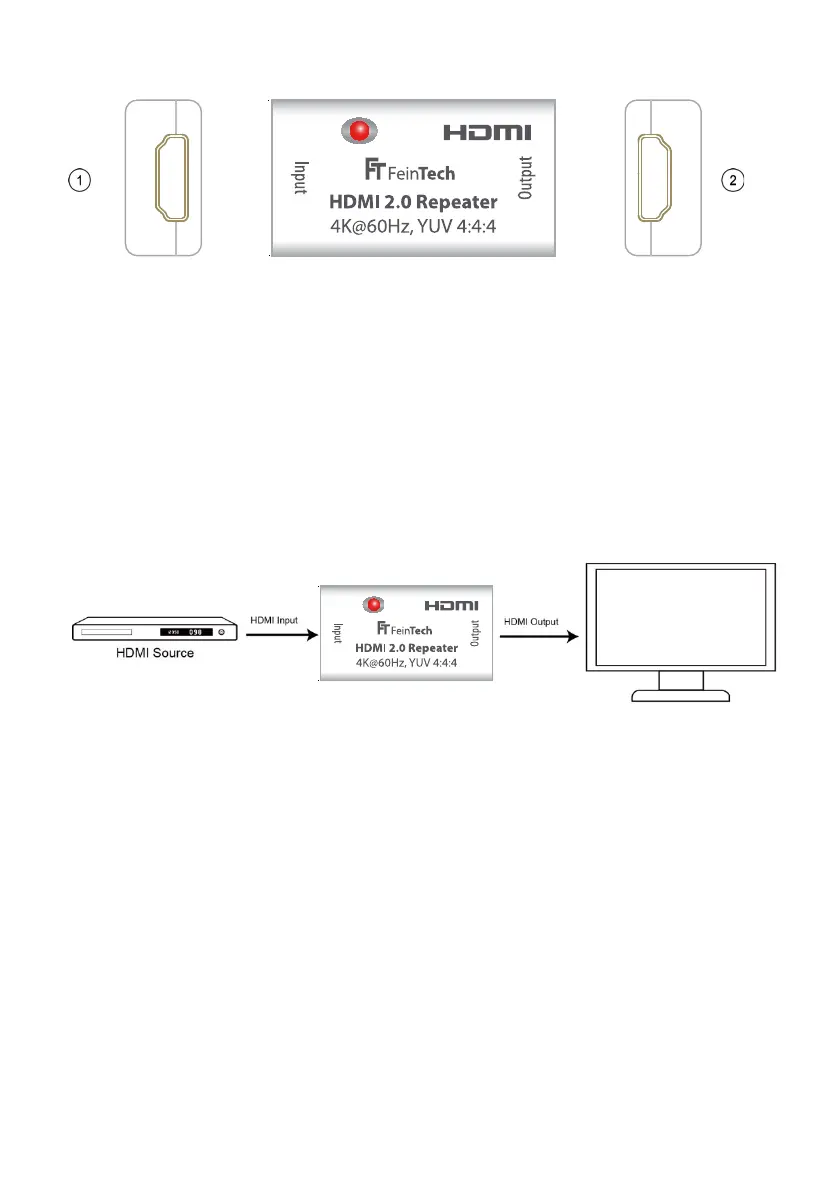
1) HDMI Signal Input 2) HDMI Signal Output
INSTALLATION AND OPERATION
1) Connect the HDMI signal source (e.g., Bluray player, PS3) to the HDMI input.
2) Connect the HDMI display (for example, TV, beamer) to the HDMI output.
3) The power is supplied via the HDMI cable through the signal source. The LED of the re-
peater lights up as soon as a signal is present.
CONNECTION SCHEME
Caution: Use caution when inserting or unplugging the HDMI cables to prevent the plug con-
tacts from getting dirty or damaged.
Please also pay attention to a good quality of HDMI cables. To achieve the longest range,
please select the following structure:
Videoformat HDMI cable HDMI cable
4k@60Hz: Quelle > 15 m > Repeater > 10 m > TV
4k@30Hz: Quelle > 20 m > Repeater > 10 m > TV
1080p: Quelle > 25 m > Repeater > 25 m > TV
For HDMI cables of dierent lengths, please use the longer cable between source and
repeater.
MAINTENANCE
Clean only with a soft, dry cloth. Please do not use a sharp detergent, solvent or similar.
Source Repeater TV



 To Next Page