5
Button Condition Function
Album button
App
Single tap: enter/exit album
Trigger button
Basic
・Long press:
lock mode (release it to exit)
・Double tap: recenter
App
・Single tap: start AI face tracking
・Triple tap:
switch front/rear camera
・Customize the function of single
tap/long press
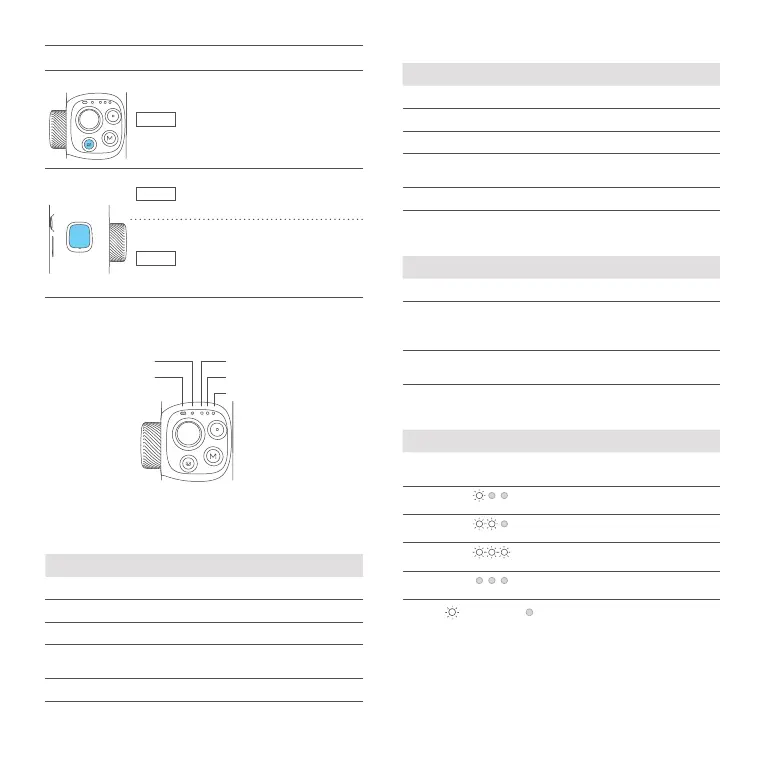
9. Indicator
Bluetooth indicator Follow status indicator (P)
Follow status indicator
(T)
Follow status indicator
(R)
Status/Battery
indicator
9.1 Status/Battery indicator
Indicator while charging:
Status/Battery indicator Descriptions
Green light stays on Charge completed
Yellow light stays on Charging
Flashes yellow and red alternately Low power
Red light keeps ashing quickly
Low power,
will auto power o
Breathing light (Yellow) Standby mode
Indicator while using:
Status/Battery indicator Descriptions
Green light stays on High level of battery
Blue light stays on Medium level of battery
Red light keeps ashing slowly Low power
Red light keeps ashing quickly
Low power,
will auto power o
Breathing light (Green) Standby mode
9.2 Bluetooth indicator
Bluetooth indicator Descriptions
Blue light stays on Bluetooth connected
Blue light ash
Bluetooth disconnected/
Bluetooth connected,
App disconnected
Blue light keeps ashing quickly
Reset Bluetooth
connection of gimbal
9.3 Follow status indicator
Follow status indicator Descriptions
White lights turn on in turn
then grow solid white
Powering on
Pan follow
Follow mode (defaul)
All follow mode
Lock mode
Figure: Light on Light o
10. Specications
Product name: Feiyu VB 4 3-Axis Handheld Gimbal for
Smartphone
Product model: FeiyuVB4
Max. Tilt Range: -20° ~ +35° (±3° )



 To Next Page
 Loading...