
 Need help?
Do you have a question about the Fellowes P-57Cs and is the answer not in the manual?
Breakthrough technology stops shredding when hands are too close.
Step-by-step guide for shredding paper and cards using Auto-On.
Steps to clear a paper jam and resume shredding operations.
Troubleshooting tips for when the shredder fails to power on.
Details on what materials the shredder can and cannot shred.
Specifies the confetti-cut size for shredded paper.
Key warnings and cautions for safe operation and handling.
Instructions for regular oiling to maintain shredder performance.
Information on the warranty period and terms for parts.
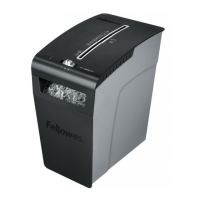
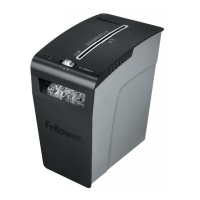
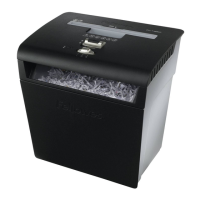
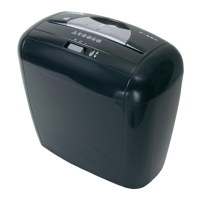
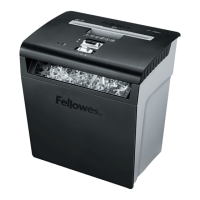
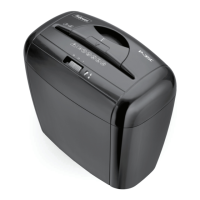
The Fellowes P-57Cs is a personal shredder designed for secure disposal of sensitive documents and credit cards, offering a blend of safety, convenience, and reliable performance for home or small office use. Its primary function is to transform paper and plastic cards into small, unreadable confetti-cut particles, ensuring the security of your information.
The P-57Cs operates by feeding documents or credit cards into a designated entry slot, where internal cutting blades shred them into confetti-cut pieces. This shredding action is controlled by a simple three-position switch: Auto-On (I), Off (0), and Reverse (R). In Auto-On mode, the shredder automatically starts when paper or a card is detected and stops once the shredding is complete. The Off position powers down the device, while the Reverse function is crucial for clearing paper jams, allowing the user to back out material that has become stuck.
A key feature of the P-57Cs is its Safe Sense™ Technology, a breakthrough safety mechanism designed to prevent accidents. This technology detects when hands are too close to the paper entry opening and automatically stops the shredding process, indicated by a yellow light. This provides an added layer of protection, especially in environments where children or pets might be present. The device also includes a Safe Sense™ override switch, which is primarily used in troubleshooting scenarios, such as when a paper jam occurs and the Safe Sense™ light remains on. When the override switch is engaged, the Safe Sense™ light flashes, and the safety feature is temporarily un-functional, allowing for manual intervention to clear the jam.
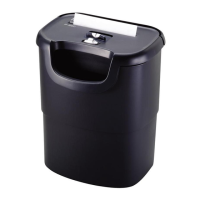
The shredder is capable of continuous operation for a maximum of 5-7 minutes. After this period, it requires a 20-minute cool-down period to prevent overheating, ensuring the longevity of the motor. A shredder head, which houses the cutting mechanism, rests on top of a waste bin. This bin collects the shredded material and can be easily emptied by removing the shredder head. The design includes a handle for convenient carrying and a safety flap over the waste opening.
Operating the P-57Cs is straightforward. For paper shredding, the user checks the paper amount, sets the control switch to Auto-On (I), feeds the paper into the entry, and releases it. The shredder will then process the documents. For credit cards, the process is similar: set to Auto-On (I), hold the card at the edge, and feed it into the center of the entry.
The device is designed to shred paper, credit cards, and staples. It is important to note that it is not intended for continuous forms, adhesive labels, transparencies, newspaper, cardboard, paper clips, laminates, or plastics other than credit cards. Adhering to these guidelines helps maintain optimal performance and prevents damage to the shredder.
In case of a paper jam, the troubleshooting steps are clear: set the control switch to Off (0), remove the shredder head, and empty the bin. After replacing the shredder head, the user can attempt to clear the jam by setting the switch to Reverse (R) for a few seconds, alternating between forward and reverse, or gently pulling uncut paper from the entry. If the Safe Sense™ light remains on during these steps, engaging the override switch may be necessary.
If the shredder doesn't start, common issues include the Safe Sense™ being active (indicated by a yellow light), the Safe Sense™ being active with a flashing yellow light (suggesting an issue), or the shredder head not being correctly placed on the basket. The device also requires a cool-down period if it has been used continuously for too long.
Regular maintenance is crucial for the P-57Cs to ensure its longevity and optimal performance. The manual recommends oiling the shredder regularly, specifically when the bin is full, or if the capacity decreases, the motor sounds different, or the shredder stops running. The oiling procedure involves running the shredder in reverse for one minute, setting the switch to Off (0), applying non-aerosol vegetable oil across the entry, setting the switch to Auto-On (I), shredding one sheet of paper, and then setting the switch to Reverse (R) for 2-3 seconds. This process should be repeated twice. It is explicitly stated that only non-aerosol vegetable oil in a long nozzle container should be used for this purpose.
Safety instructions are paramount for maintenance and general use. Users are advised to keep children and pets away from the shredder and always unplug it when not in use. Foreign objects such as gloves, jewelry, clothing, or hair should be kept away from the shredder openings. If an object enters the top opening, the user should switch to Reverse (R) to back it out. It is also important to avoid touching exposed blades under the confetti-cut shredder head.
Furthermore, the manual warns against using aerosol, petroleum-based, or other flammable products on or near the shredder, and specifically against using canned air. The device should not be used if damaged or defective, nor should the shredder head be opened. It should also not be placed near or over heat or water sources. These guidelines are designed to prevent damage to the unit and ensure user safety. The grounded socket-outlet for the equipment should be easily accessible.
 General
| Cut Type | Cross-Cut |
|---|---|
| Sheet Capacity | 5 sheets |
| Security Level | P-4 |
| Run Time | 5 minutes |
| Cool Down Time | 30 minutes |
| Can Shred | Paper, Credit Cards, Staples, Paper Clips |
| Recommended Number of Users | 1-3 users |
| Sheet Size | Letter |
| Particle Size | 5/32 inches |


 To Next Page

