
 Need help?
Do you have a question about the Fellowes Powershred 9C and is the answer not in the manual?
Diagram illustrating the main parts of the shredder labeled A through G.
Details on what materials the shredder can process and its maximum sheet/card capacity.
Critical safety instructions to prevent injury and ensure proper operation.
Step-by-step guide for feeding paper and operating the shredder.
Recommended procedure for oiling the shredder for optimal performance.
Solutions for common issues such as paper jams and the shredder not starting.
Provides customer service phone numbers and the official company website.
Information regarding product compliance with European directives and standards.
Instructions on how to properly dispose of the electronic equipment.
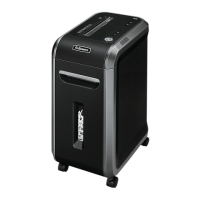
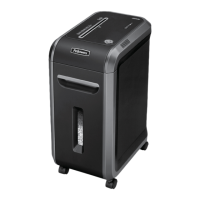
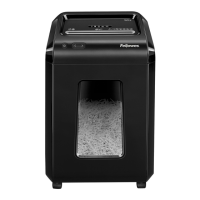
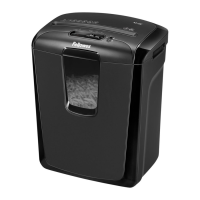
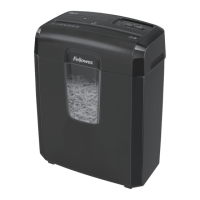
The Fellowes Powershred® 9C is a cross-cut paper shredder designed for personal or small office use, offering a secure and efficient way to dispose of sensitive documents. Its primary function is to shred paper and other specified materials into small, unreadable particles, thereby protecting personal and business information from unauthorized access. The shredder is engineered for ease of use and incorporates several features to ensure both operational efficiency and user safety.
At its core, the Powershred® 9C is a document destruction device. It features a paper/card entry slot where materials are inserted for shredding. The internal cutting mechanism, designed for cross-cut shredding, transforms documents into small, confetti-like pieces, offering a higher level of security compared to strip-cut shredders. This makes it suitable for destroying confidential documents, bills, bank statements, and other sensitive papers. Beyond paper, the shredder is also capable of destroying plastic credit cards and small paper clips, expanding its utility for common office and household waste. The shredded material is collected in a bin located beneath the shredder head, which includes a window to monitor the fill level, preventing overfilling and potential jams.
The shredder operates with a control switch that offers multiple modes: Reverse (KK), Off (O), and Auto-On (▷). In Auto-On mode, the shredder automatically starts when paper is detected in the entry slot and stops once the shredding process is complete. The Reverse function is crucial for clearing paper jams, allowing users to back out material that has become stuck. An Overheat (red) indicator light alerts the user if the motor becomes too hot, prompting a cool-down period to prevent damage.
A key safety feature is the safety lock, which prevents accidental operation. When engaged, the shredder cannot be turned on, providing an added layer of security, especially in environments with children or pets. The shredder is also designed to operate only when the shredder head is correctly positioned on the supplied basket, ensuring proper alignment and safe operation.
The Powershred® 9C is designed for straightforward operation. To begin shredding, the user plugs in the device and sets the control switch to Auto-On (▷). Paper or other shreddable items are then fed straight into the paper entry slot. The shredder automatically engages, processes the material, and stops once the task is complete. For optimal performance and to prevent overheating, the shredder is designed for continuous operation up to a maximum of 5 minutes, followed by a recommended 30-minute cool-down period if this limit is reached. A brief run after each pass helps clear the entry, ensuring readiness for the next batch.
In the event of a paper jam, the troubleshooting steps are simple and effective. The user can set the control switch to Reverse (KK) for 2-3 seconds to attempt to clear the jam. If this doesn't work, alternating between Reverse and Off, then unplugging the device, allows for gently pulling any uncut paper from the entry. Once cleared, plugging the shredder back in and setting it to Auto-On (▷) should allow normal operation to resume.
The shredder's design includes a bin with a window, allowing users to easily see when it's full and needs emptying. This visual cue helps maintain efficiency and prevents overfilling, which can lead to jams or strain on the motor. The shredder head is easily removable for emptying the bin.
Proper maintenance is essential for the longevity and optimal performance of the Powershred® 9C. All cross-cut shredders, including this model, require regular oiling. Fellowes recommends oiling the shredder each time the waste bin is emptied. This process involves setting the control switch to Off (O), applying a non-aerosol vegetable oil (such as Fellowes 35250) across the entry, and then running the shredder in Reverse (KK) for 2-3 seconds. This procedure should be repeated twice. Oiling helps to lubricate the cutting blades, preventing diminished sheet capacity, intrusive noise, and potential motor issues that can arise from dry or sticky blades.
The device is designed for indoor use only and should be kept away from heat sources and water. Cleaning the shredder should only be done after unplugging it from the power source, ensuring user safety. Users are advised against using aerosol products, petroleum-based lubricants, or "canned air" on or near the shredder, as the propellants can be flammable and cause serious injury. Disassembling the shredder is also not recommended, and any damaged or defective units should not be used.
The safety lock mechanism not only prevents accidental starts but also serves as a reminder to secure the device when not in use, contributing to its overall maintenance and safety profile. By following these simple usage and maintenance guidelines, users can ensure their Powershred® 9C remains a reliable tool for secure document disposal.
 General
| Cut Type | Cross-Cut |
|---|---|
| Sheet Capacity | 9 sheets |
| Security Level | P-4 |
| Run Time | 5 minutes |
| Cool Down Time | 30 minutes |
| Shred Size | 5/32 x 1-3/8 inches |
| Throat Width | 9 inches |
| Warranty | 1 year |
| Can Volume | 4 gal |







 To Next Page