10 11
ENGLISH
ENGLISH
Adjusting the chronograph hands to the zero position
If one or more chronograph hands are not exactly in the zero position (e.g. following a battery change), they must be
adjusted. To do so:
1. Pull the crown out to position III. The 3 chronograph hands move to their zero position (correct or incorrect).
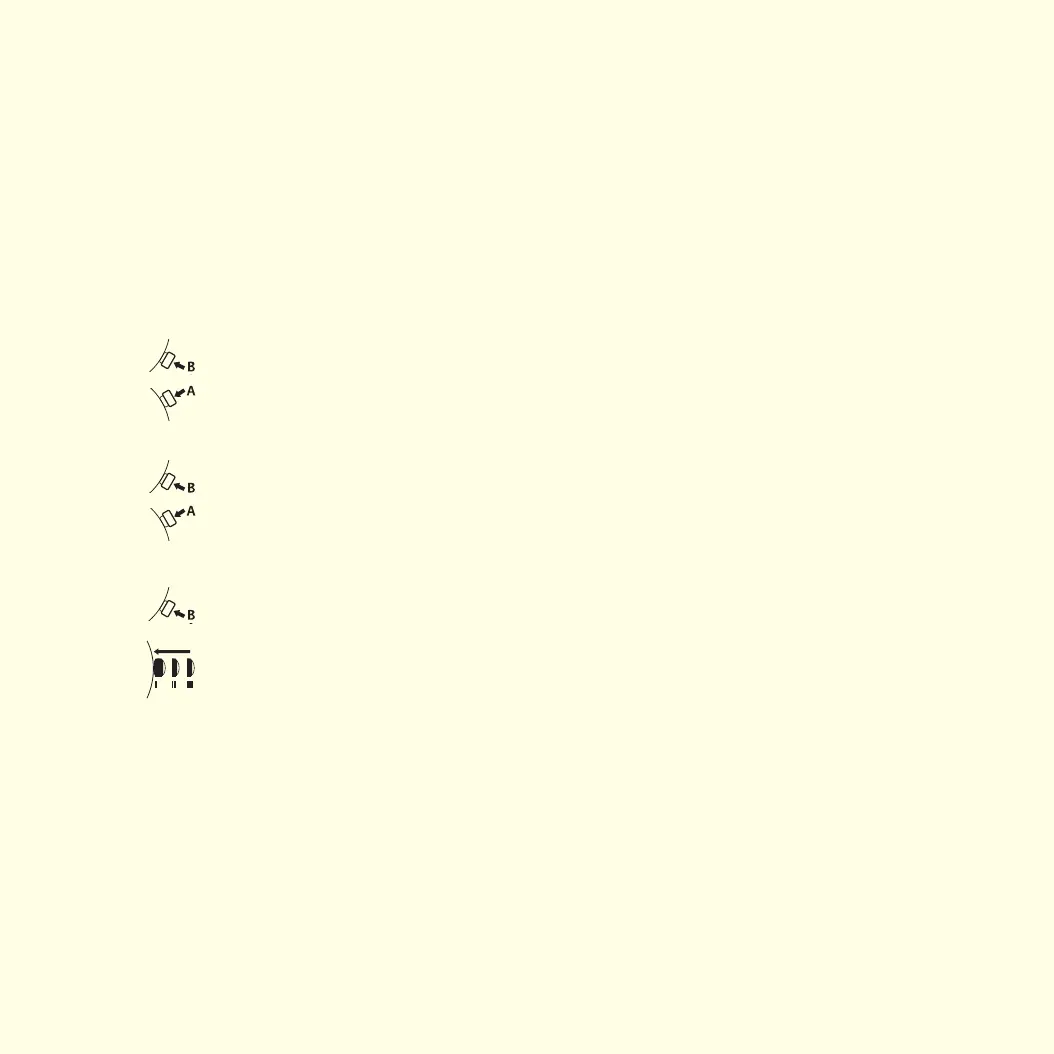
2. Press push button A 3 times to activate setting mode. The center seconds hand turns 360°, indicating that correction
mode is activated.
Setting the 30 minute counter hand
In increments: B 1 short press
Continuous: B press and hold
To set the next hand, press push button A.
Setting the 1/10 second counter hand
In increments: B 1 short press
Continuous: B press and hold
To set the next hand, press push button A.
Setting the center seconds hand
In increments: B 1 short press
Continuous: B press and hold
Push the crown against the case to return it to the normal operating position I. The chronograph hand setting
operation is complete.
Setting the date/time following a battery change
Example:
– Date/time indicated by the watch: 17/01:25
– Current date/time: 4/20:30
1. Pull the crown out to position II. The hands continue to rotate.
2. Turn the crown until yesterday’s date is indicated.
3. Pull the crown out to position III. The seconds hand will stop.
4. Turn the crown until the correct date is indicated.
5. Turn the crown until the correct time is indicated.
6. Push the crown against the case to return it to the normal operating position I.
To set your watch to the exact second, please refer to the section entitled "Setting the time".
QUARTZ CHRONOGRAPH WATCHES – 3 COUNTERS


 To Next Page