Kit5010ExpSécu_Elec-A
12
7.2
UTILISATION DE L’AFFICHEUR / CONTROL KEYBOARD USING
OK
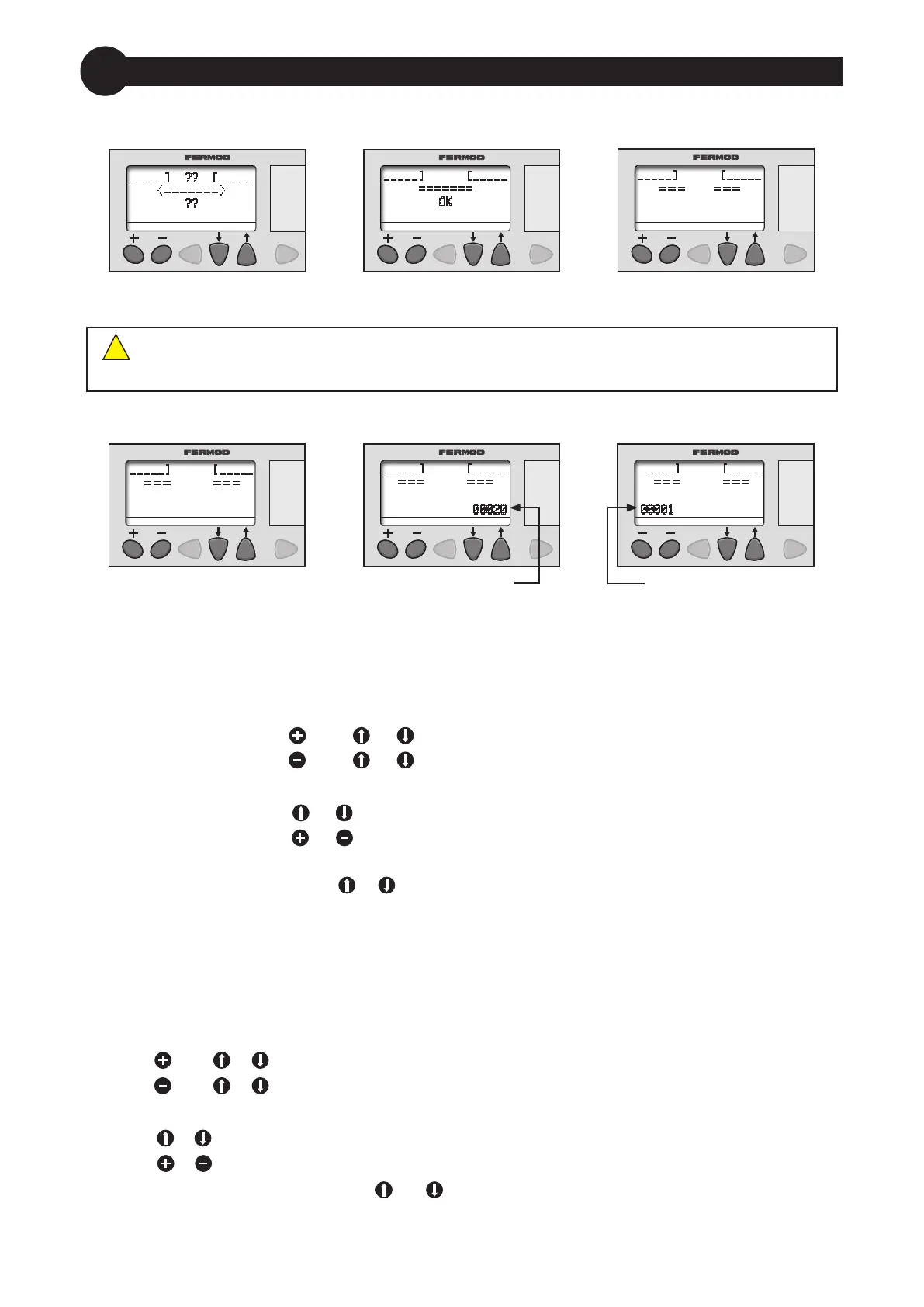
Etat OK
OK
Initialisation
Initialization
??
??
Porte en mouvement
Moving door
Porte ouverte
Open door
Décompte tempo
Timer countdown
00020
Codes information
Information codes
00001
FRAGILE - Ne pas appuyer sur l'écran de l'acheur / Do not press on control keyboard display
Aucune information n’est stockée dans l’acheur / There’s no information stored in control keyboard
!
Pour accéder aux paramètres de réglage :
Fermer la porte (achage "OK")
Faire une commande d'arrêt (achage "0001")
Il y a 2 menus :
«+» et «-»
Appuyer sur la touche puis ou pour accéder au menu «+»
Appuyer sur la touche puis ou pour accéder au menu «-»
Une fois entré dans l’un des menus, les commandes d’ouverture sont inactives.
Appuyer sur la touche ou pour passer d’une valeur de réglage à une autre
Appuyer sur la touche ou pour augmenter ou diminuer la valeur à régler
(maintenir enfoncé 2 secondes pour un délement rapide)
Appuyer simultanément sur et pour quitter les menus ou l’achage du compteur
(achage «OK») : la porte redevient opérationnelle (penser à désactiver les commandes d’arrêt).
To enter into the parameters :
Close the door ("OK" on display)
Engage a stop command ("0001" on display)
There is 2 menus :
«+» and «-»
Press then or to enter in «+» menu
Press then or to enter in
«-» menu
When setting parameters, all opening commands are o.
Press or to scroll parameters when setting
Press or to increase or decrease parameters values (hold on 2 secondes to quickly change)
Simultaneously press both buttons and to go out of set up or counter mode («OK» on display) :
door is ready for use (remember to desactivate stop command).
or
ou


 To Next Page
 Loading...

