18
FIG.10
FIG.3
OPERATING THE ENTRANCE CODES
You can operate the personalized entrance codes simply and rapidly in to-
tal security with the FIAM x1R locks electronic system. It is in fact possible
to disable and re-enable the “service” codes, even temporarily, by adding
or eliminating codes to the list of those being used or totally cancel them.
To disable ALL the “service” codes, you must:
access the “programming” facility
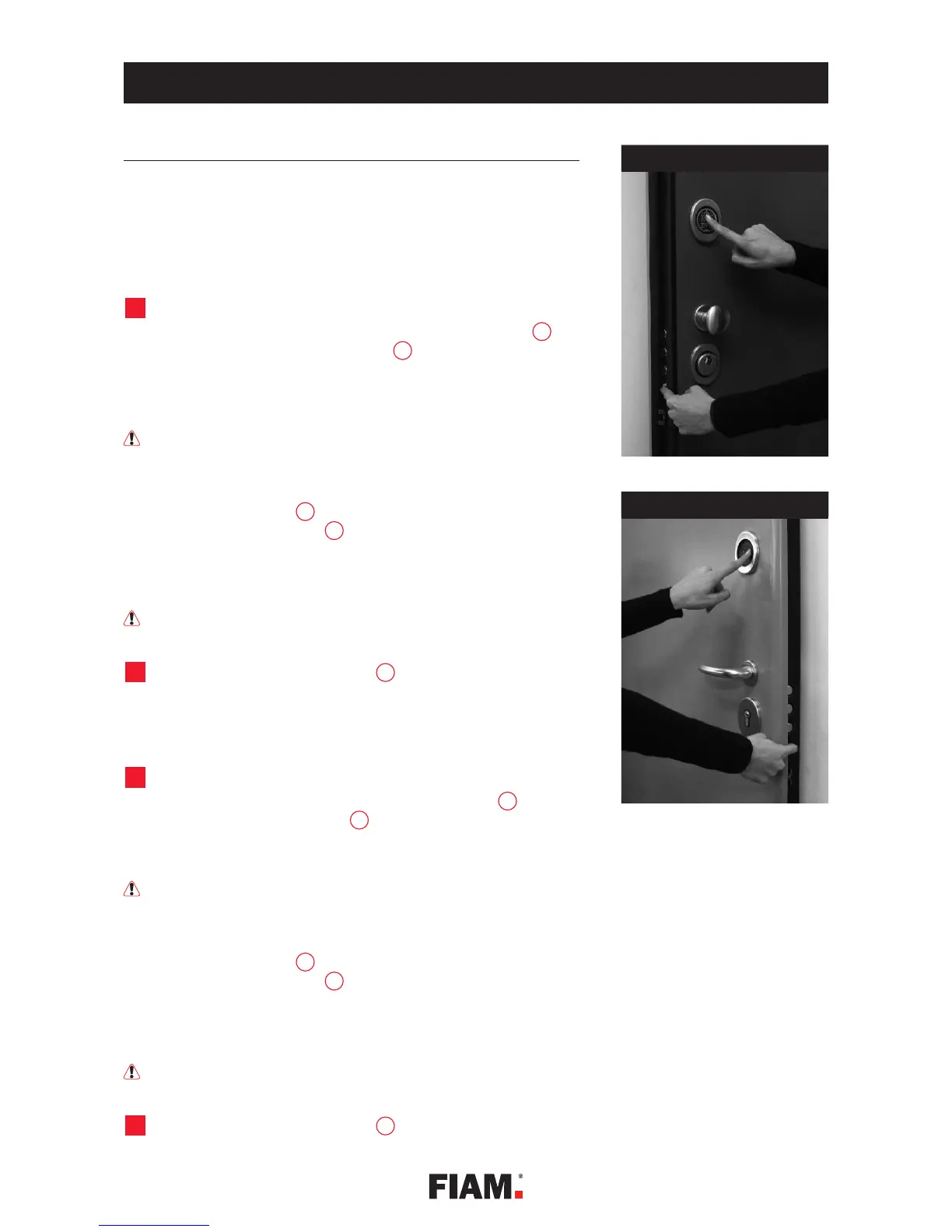
A. with the door open, keep your finger pressed on spring latch and
press the master code on the keyboard , then press the # key (fig.
10).
B. the acoustic alarm will emit a rising scale of beeps, to warn you that the
lock is in the “programming” mode
The lock will only remain in this mode (programming) for as long as
you keep the spring latch pressed. You will automatically leave the pro-
gramming mode by releasing it.
C. Keeping the spring latch constantly pressed, press the black button
located on the internal plaque (fig. 3) for at least one second until the
buzzer emits 1 short beep.
All the “service” numerical codes are now deactivated for opening the
lock, but are still stored in the electronic memory.
This operation also simultaneously disables all the “service” TAGs
and any radio controls being used.
release the pressure on the spring latch to exit the programming mode.
To re-enable ALL the “service” codes, you must:
access the “programming” facility
A. with the door open, keep your finger pressed on spring latch , and press
the master code on the keyboard then press the # key (fig. 10).
B. the acoustic alarm will emit a rising a scale of beeps, to warn you that the
lock is in the “programming” mode.
The lock will only remain in this mode (programming) for as long as
you keep the spring latch pressed. You will automatically leave the pro-
gramming mode by releasing it.
C. Keeping the spring latch constantly pressed, press the black button
located on the internal plaque (fig. 3) for at least one second until the
buzzer emits two short beeps.
All the “service” numeric codes stored in the electronic memory are now
re-enabled for when the lock opens
This operation also simultaneously re-enables all the “service” TAGs
and any radio controls being used.
release the pressure on the spring latch to exit the programming mode.
5
P
2
5
1A
5
p
5
P
p
2
5
1A
5
BASIC PROGRAMMING


 To Next Page
 Loading...