34
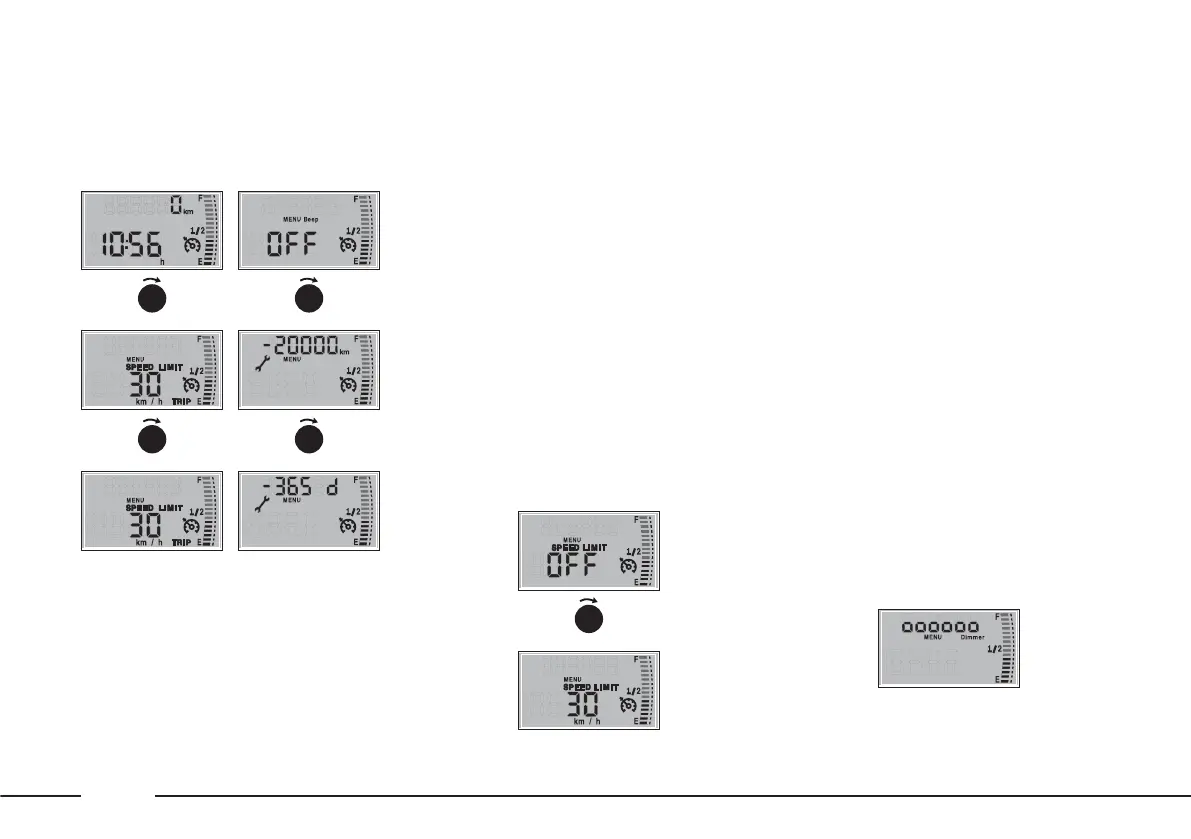
To change the speed limit, rotate the
MY CAR ring nut: the value flashes.
The value can vary on a scale from
OFF to 220 km/h.
When the desired value is reached,
confirm by pressing MODE/TRIP.
If the ring nut remains turned for
more than 2 seconds, the value
increases / decreases rapidly.
When the function is selected, the
Ü icon will appear on the display.
Dimmer
This function allows the brightness
level of some dashboard instruments
to be set: instrument panel, on-
board instruments, car radio display
etc.
Doors open warning
This warning appears on the display
automatically when the vehicle speed
is greater than 4 km/h and one of
the doors is not shut correctly. On
some versions the
´
warning light
switches on at the same time.
Set speed limit exceeded
This function allows the vehicle
speed limit to be set (km/h). When
this is exceeded, the driver is
notified through an acoustic signal
and the message SPEED LIMIT on
the display.
To navigate through the menu,
rotate the MY CAR ring nut. To
make adjustment and store them,
use the MODE/TRIP.
F0X1004mF0X1005m
▼
F0X1012m
MODE
TRIP
F0X1005m
▼
MODE
TRIP
F0X1007mF0X1008m
▼
MODE
TRIP
F0X1009m
▼
MODE
TRIP
F0X1010mF0X1011m
▼
MODE
TRIP
MODE
TRIP











 To Next Page