EasyManua.ls Logo

Fieldpiece DR82 - User Manual

Fieldpiece DR82
13 pages
Print Icon
To Next Page IconTo Next Page
Loading...
01
06
02
07
03
08
04
09
05
10
Certications and
Compliance
EN 14624 Regulatory Compliance Mark
Waste Electrical and
Electronic Equipment
Restriction of Hazardous
Substances Compliant
Description
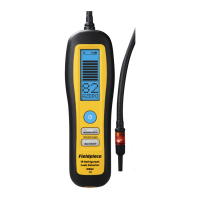
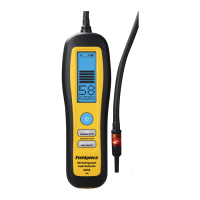
Compact and rugged, the DR82 Infrared
Refrigerant Leak Detector helps you nd leaks
fast in the eld. The 10 year infrared (IR) sensor
detects all HFC, HCFC, CFC, HFO, and blends.
Multiple indicators and sensitivity 20x higher
than soap bubbles make it easy to track down
even the smallest leaks in various environments.
A red LED ashes at the tip so you can keep
your eyes on the target. The large bars on the
backlit LCD are easy to see in bright sunlight or
low light, and the numerical value provides an
extra digit of resolution.
Unlike conventional leak detectors, you have
full control with both an automatic (AZERO) and
manual (MZERO) zero mode.
The large Li-ion rechargable battery provides
over 10 hours of continuous operation and is
convenient to charge via USB-C. Replaceable
tips lter out water and dust while getting into
tight spots. All wrapped up in a ruggedized IP54
housing, it's built for the eld.
What's Included
DR82 Infrared Refrigerant Leak Detector
Blow Molded Carrying Case (ABM2)
AC Charger and USB-C Cable (RCA3)
5 x Filter Tips and Gaskets (RFT6)
Operators Manual
1 Year Limited Warranty
Specifications
Sensor Type: Infrared (IR)
Sensor Life: 10 years typical
Sensitivity Levels: High, medium, low, turbo (selectable)
Maximum Sensitivity:
0.03 oz/yr (1g/a), stationary; 0.1 oz/yr (3g/a), in motion
Detection Feedback:
Red tip LED, LCD bar graph, LCD digits, beeper
Refrigerants: HFC, HCFC, CFC, HFOs, and blends
Response Time: <1 seconds typical
Recovery Time: <5 seconds typical
Battery Type: 3.7 VDC (nominal) 2600mAh, non-replaceable
Charge Time: 6 hours typical with included charger.
Battery Life: 10 hours typical, backlight o
Auto Power O: 10 minutes without detection or button press
Operating Environment:
32°F to 104°F (0°C to 40°C); < 75% RH (non-condensing)
Storage Temperature: -4°F to 140°F (-20°C to 60°C); < 80% RH
Weight: 14 oz (400g)
Water Resistance: Designed to IP54
US Patent: www.eldpiece.com/patents
Infrared (IR)
Refrigerant
Leak
Detector
OPERATOR'S
MANUAL
Model DR82
WARNINGS
Inhalation of high concentrations of refrigerant vapor can block
oxygen to the brain causing injury or death.
Do not use this device in a combustible gas atmosphere or with
A3 refrigerants such as R-290, propane or R-600, isobutane.
Do not block exhaust port or device or will not function properly.
Quick Start
1. Move to a refrigerant-free environment and
hold until your DR82 powers on.
2. Allow warm-up (calibration) to complete.
3. Begin searching for the leak source.
Move the tip slowly (~3 inches/sec) and as closely
as possible to the suspected refrigerant line.
4. Search until refrigerant gas is detected.
Red light flashes, audible alarm triggers, and the
display indicates the relative gas concentration.
5. Conrm leak source.
Move tip away from alarm location for a few
seconds to clear the sensor. Return tip back to
suspected leak, looking for the highest value.
Maintenance
CLEANING: Clean the exterior with a damp
cloth. Do not use detergents or solvents.
BATTERY CHARGING: Recharge the internal
battery as needed using the USB-C cable. In
addition to the AC plug, most generic USB
ports supply enough power to charge. The long
life Li-ion rechargable battery is permanently
installed. To maximize battery life, minimize
time spent at 100% full or 0% full.
FILTER REPLACEMENT: The hydrophobic
lter is built into the replaceable tip and should
be replaced periodically to maximize sensor life
and performance. Five ltered tips (RFT6) are
included. Unscrew the tip to remove.
Functionality Test
Use a refrigerant tank and a cap to check if
your DR82 is detecting refrigerant properly.
Filtered Tip (RFT6)
1. Tightly cap a refrigerant
tank port to seal it.
2. Open valve to
coat the inside
of the cap, then
close the valve.
3. With DR82 set to high sensitivity (H), remove
the cap and wave the tip over the cap. You
should see a very large leak size of approxi-
mately "99" and a full bar graph. If not, the
ltered tip may need to be replaced.
5 Commonwealth Ave
Woburn, MA 01801
Phone 781-665-1400
Toll Free 1-800-517-8431
Visit us at www.TestEquipmentDepot.com

Question and Answer IconNeed help?

Do you have a question about the Fieldpiece DR82 and is the answer not in the manual?

Summary

Description

Whats Included

Specifications

Certifications and Compliance

Warnings

Quick Start

Maintenance

Filter Replacement

Procedure for replacing the hydrophobic filter to maximize sensor performance.

Functionality Test

Operation

Power

Instructions on how to toggle the device's power on and off.

Backlight

How to control the blue backlight of the device's display.

Zero Modes (AZERO;MZERO)

Explanation of the automatic (AZERO) and manual (MZERO) zero modes.

Zero Set

Procedure for initiating manual zero calibration in MZERO mode.

Numerical Leak Size Indicator

Maximum Mode

Sensitivity Settings

Mute Function

Red Leak Indicator LED

Limited Warranty

Obtaining Service

Overview

The Fieldpiece DR82 Infrared (IR) Refrigerant Leak Detector is a compact and rugged device designed for fast and efficient leak detection in the field. It utilizes a 10-year infrared (IR) sensor capable of detecting all HFC, HCFC, CFC, HFO, and blend refrigerants.

Function Description:

The DR82 helps locate refrigerant leaks with high sensitivity, 20 times greater than traditional soap bubbles. It provides multiple indicators for easy leak tracking, including a red LED that flashes at the tip, a backlit LCD with large bars for visibility in various lighting conditions, and a numerical value offering an extra digit of resolution. The device offers both automatic (AZERO) and manual (MZERO) zero modes, providing full control over calibration. In automatic zero mode, the device sets a new zero point every 4-5 seconds, indicated by a double beep. Moving closer to a leak source in this mode will show an increase in concentration and trigger an alarm. In manual zero mode, the device does not automatically zero, allowing it to continuously alarm and display the relative leak size. A manual zero can be initiated by pressing the ZERO button for 10 seconds, during which "Zeroing" is displayed, and the device should remain stationary for best performance.

Important Technical Specifications:

  • Sensor Type: Infrared (IR)
  • Sensor Life: 10 years typical
  • Sensitivity Levels: High, medium, low, turbo (selectable)
  • Maximum Sensitivity: 0.03 oz/yr (1g/a) stationary; 0.1 oz/yr (3g/a) in motion
  • Detection Feedback: Red tip LED, LCD bar graph, LCD digits, beeper
  • Refrigerants Detected: HFC, HCFC, CFC, HFOs, and blends
  • Response Time: <1 seconds typical
  • Recovery Time: <5 seconds typical
  • Battery Type: 3.7 VDC (nominal) 2600mAh, non-replaceable Li-ion rechargeable battery
  • Charge Time: 6 hours typical with included charger (USB-C)
  • Battery Life: 10 hours typical (backlight off)
  • Auto Power Off: 10 minutes without detection or button press
  • Operating Environment: 32°F to 104°F (0°C to 40°C); < 75% RH (non-condensing)
  • Storage Temperature: -4°F to 140°F (-20°C to 60°C); < 80% RH
  • Weight: 14 oz (400g)
  • Water Resistance: Designed to IP54
  • US Patent: www.fieldpiece.com/patents

Usage Features:

  • Power: Press the power button for >1 second to toggle power.
  • Backlight: Press the backlight button to toggle the blue backlight.
  • Zero Modes (AZERO/MZERO): The device starts in automatic zero mode (AZERO). Press MANUAL/AUTO for >1 second to toggle to manual zero mode (MZERO).
  • Zero Set: In MZERO mode, press ZERO to initiate a 10-second calibration.
  • Numerical Leak Size Indicator with Bar Graph: Displays relative concentration of refrigerant gas (0-99 units) and a bar graph showing the same measurement in steps of 10 units. Higher numbers and more bars indicate closer proximity to the leak.
  • Maximum Mode: Press MAX ON/OFF for >1 second to toggle max mode. In this mode, the highest leak size detected is continuously recorded. The recorded max is cleared when sensitivity is changed or manually zeroed.
  • Sensitivity (H/M/L/T): The DR82 starts in high sensitivity (H). Press SENSITIVITY to cycle through Medium, Low, and Turbo sensitivities. Turbo is extremely sensitive and may trigger from abrupt motion or small changes in gas content.
  • Mute: Press ZERO and SENSITIVITY simultaneously to toggle the speaker.
  • Red Leak Indicator LED: A red LED at the tip flashes, with the blink rate increasing as the relative concentration increases, allowing for leak detection without constantly viewing the display.
  • Quick Start Guide:
    1. Move to a refrigerant-free environment and hold the power button until the DR82 powers on.
    2. Allow warm-up (calibration) to complete.
    3. Begin searching for the leak source by moving the tip slowly (~3 inches/sec) and as closely as possible to the suspected refrigerant line.
    4. Search until refrigerant gas is detected (red light flashes, audible alarm triggers, display shows relative gas concentration).
    5. Confirm the leak source by moving the tip away from the alarm location for a few seconds to clear the sensor, then return the tip to the suspected leak, looking for the highest value.

Maintenance Features:

  • Cleaning: Clean the exterior with a damp cloth. Do not use detergents or solvents.
  • Battery Charging: Recharge the internal Li-ion battery using the USB-C cable. The battery is non-replaceable. To maximize battery life, minimize time spent at 100% full or 0% full.
  • Filter Replacement: The hydrophobic filter is built into the replaceable tip (RFT6) and should be replaced periodically to maximize sensor life and performance. Five filtered tips are included. To replace, unscrew the tip.
  • Functionality Test: To check if the DR82 is detecting refrigerant properly:
    1. Tightly cap a refrigerant tank port.
    2. Open the valve to coat the inside of the cap, then close the valve.
    3. With the DR82 set to high sensitivity (H), remove the cap and wave the tip over it. A large leak size of approximately "99" and a full bar graph should be displayed. If not, the filtered tip may need replacement.

Fieldpiece DR82 Specifications

General IconGeneral
BrandFieldpiece
ModelDR82
CategorySecurity Sensors
LanguageEnglish

Related product manuals