EasyManua.ls Logo

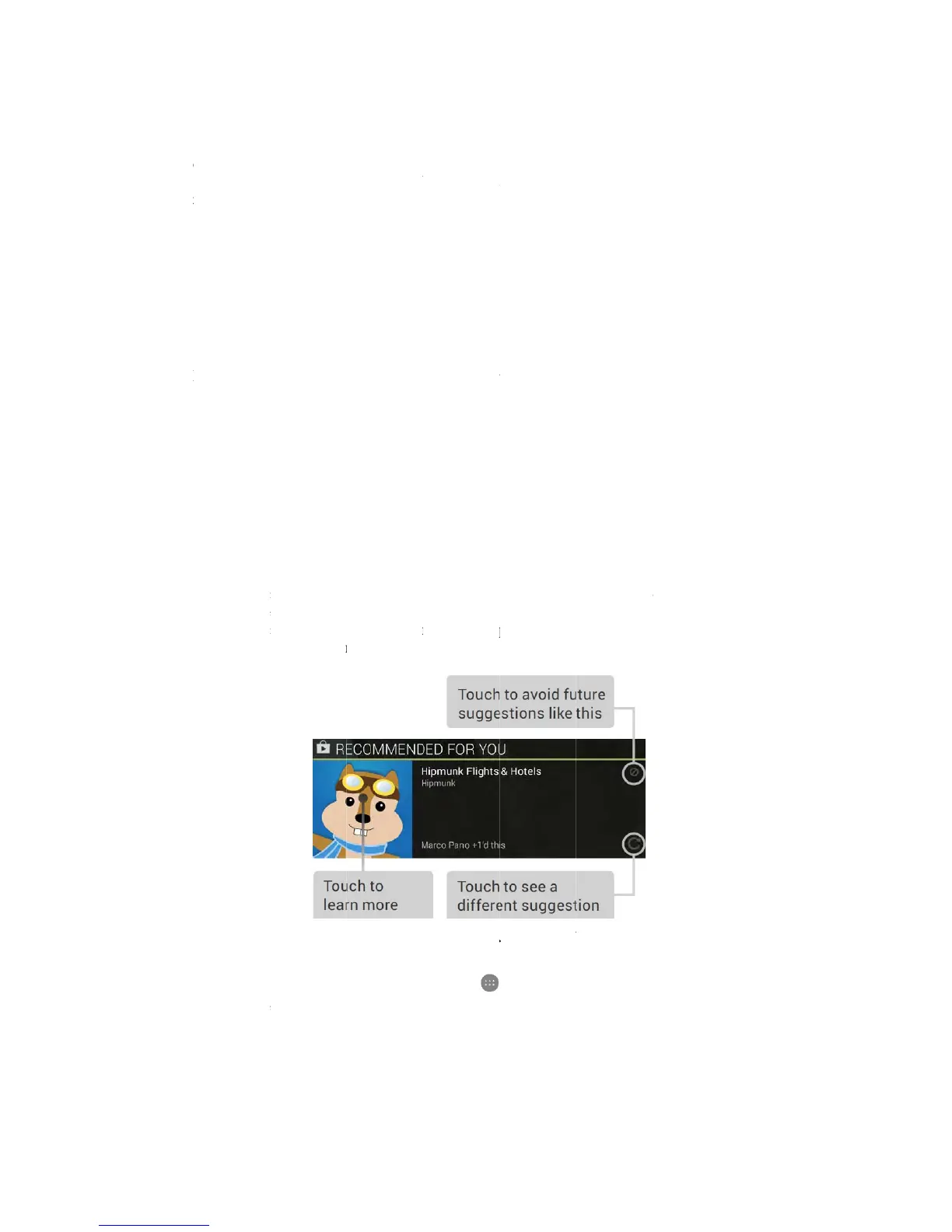
Figo F50G - Google Play; Use Google Play Widgets

Default Icon
29 pages
Print Icon
To Next Page IconTo Next Page
To Previous Page IconTo Previous Page
Loading...
Wh
e
ent
e
tex
t
To
i
bac
k
onl
y
R
e
Go
o
boo
k
If y
o
con
t
use
d
Th
e
To
r
hol
d
To
a
fro
m
scr
e
e
n you pau
s
e
red in the t
t
. If you sta
r
i
mprove pr
o
k
ground no
y
fleetingly
a
e
lax w
i
o
gle Play br
i
k
s, music,
m
o
u purchas
e
t
ent on oth
e
d
to purcha
s
ļ‚· Use Go
o
e
se widgets
a
1- My
any
2- Re
c
int
e
3- Re
c
To
u
r
esize a wid
g
d
, then dra
g
a
dd anothe
r
m
right to l
e
e
en location
s
e, what yo
u
ext field, u
n
r
t typing or
e
o
cessing of
y
ise in temp
o
a
nd is not s
e
i
th Go
o
i
ngs togeth
e
m
agazines,
a
e
d content o
e
r Android
d
s
e it.
o
gle play w
i
a
re availabl
e
Library: D
i
of the ima
g
c
ommended
e
rest you. T
o
c
ommended
u
ch the reco
m
g
et, touch
&
g
it to the R
e
r
Google Pl
a
e
ft until you
you want.
u
spoke is tr
a
n
derlined.
Y
e
ntering m
o
y
our voice i
n
o
rary mem
o
e
nt to Goog
l
o
gle P
l
e
r all your f
a
a
nd more –
s
n Google P
l
d
evices - jus
i
dgets
e
for your
H
i
splays you
r
g
es to see yo
u
on Play: S
u
o
uch the su
g
apps: Reco
m
m
mendatio
n
&
hold, then
e
move icon
a
a
y widget, t
o
see the one
a
nscribed b
y
Y
ou can touc
o
re text by s
n
put, Googl
e
o
ry at any ti
m
l
e.
l
ay
a
vorite cont
s
o you can
r
l
ay in the p
a
t make sur
e
H
ome scree
n
r
most rece
n
u
r content.
u
ggests mus
i
g
gestion to l
e
m
mends ap
p
n
to learn
m
let go and
d
a
t the top o
f
o
uch the
you want.
T
y
the speec
h
c
h the Delet
e
peaking, th
e
e
may reco
r
m
e. This re
c
ent in one
p
r
each it fro
m
a
st, you'll a
u
e
you're sig
n
n
s:
n
tly used m
u
i
c, movies,
a
e
arn more
a
p
s that you
m
ore about i
t
d
rag the bl
u
f
the screen.
All Apps i
c
T
hen touch
&
h
-recognitio
n
e
key to era
s
e
underline
r
d a few sec
o
c
ording re
m
p
lace – movi
e
m
any of yo
u
u
tomaticall
y
n
ed in to th
e
u
sic, books,
a
nd other c
o
a
bout it.
can add to
y
t
.
u
e dots. To r
c
on, then W
i
&
hold, an
d
n
service a
n
s
e the unde
r
disappears.
o
nds of am
b
m
ains on the
e
s, TV sho
w
u
r devices.
y
have acces
s
e
same acco
u
and so on.
T
o
ntent that
m
y
our Home
emove it, to
i
dgets, and
s
d
let go in th
e
15
n
d
r
lined
b
ient
device
w
s,
s
to this
u
nt you
T
ouch
m
ay
screen.
uch &
s
wipe
e
Home