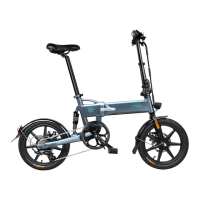
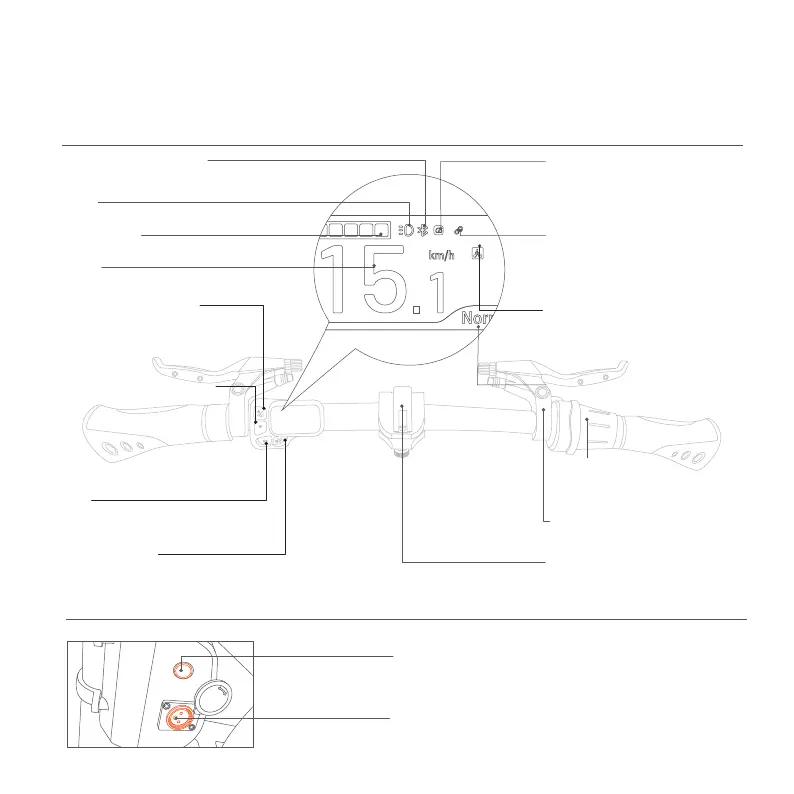
1.4 Function DESC
Handlebar
(Display the current power assisted gear.)
Power Assisted Gear Display
(Shows the status of the front light.)
Lights
(Display remaining power.)
Battery Status
(The right side is for the rear brake;
in the UK version, it's for the front brake.)
Rear Brake
(Gently press down the button to switch to
the pure electric mode, the stonger the press,
the faster the speed)
Electric mode button
(Open/close to adjust the handlebar)
Quick Release
ChargingPort
(Insert the Fiido charger ONLY)
Battery Switch
(Click to turn on/off the battery power)
If the vehicle is not used for a long time, please remember to turn off the
battery power in time to avoid battery damage caused by depletion.)
Battery
5
(Display the current speed.)
Speed
(①Single click to switch up the assist level.
②Double click to turn on/off the headlight.
③Press three times: Activate the boost
function; pressing the brake will exit this
function.)
Headlight/Gear Switch
Power Assisted Level Switch
(① Single click to switch down the
assist level.
② Double-click to switch kmh/mph
display.
③ Long press for 3 seconds,when the
speed displayenters the flashing state,
thecruise contro lfunctioncan be
started/turned off.)
(In case of overtaking,road section affecting
safety visibility or emergency, slow down
and ring the bell for signal.)
Horn
(①Click to switch the display of the data.
②Long press for more than 3 sec:turn on/off the power.)
Power-on Button
( To connect the Fiido Mate cycling watch,
please press the button "∧" and"V" at the
same time and hold for 3 seconds. The
Bluetooth connection icon will blink
during the connection process. Once
connected, the icon will remain solid.)
Fiido Watch Connection Indicator
(When the boost function is activated by
pressing the M button three times, this
icon will be displayed. The icon will turn
off when the brakes are applied.)
Boost Icon
(Keep the throttle steady for around 8
seconds to turn on cruise control, and
the icon will light up.Brake or change
the throttle to turn off cruise control,
and the icon will go off.)
Cruise Control Indicator
(When the bike connects with the phone successfully, the
Bluetooth icon will be shown.)
APP Connection Indicator


 To Next Page
 Loading...