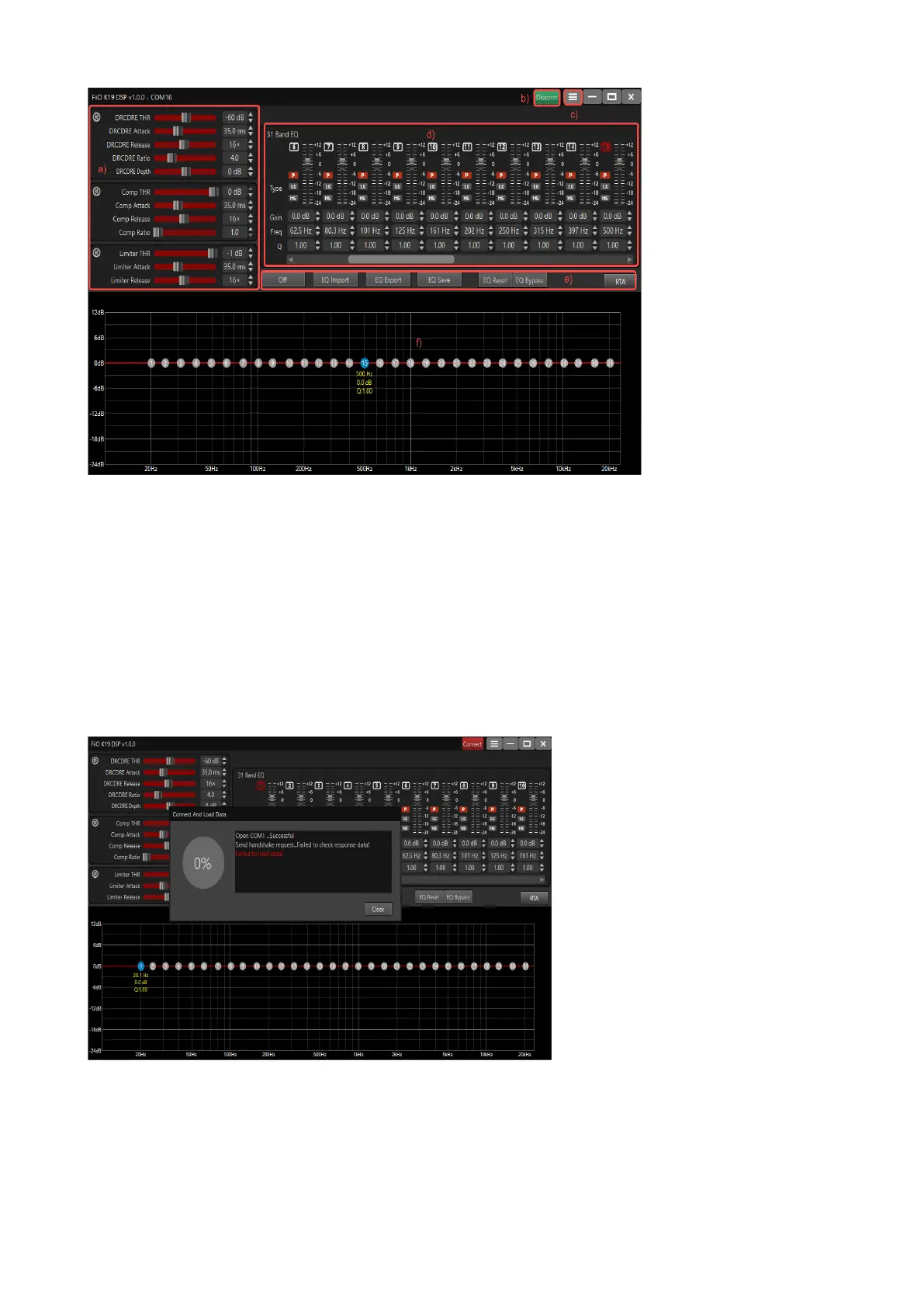
The overall functional division of the DSP client is shown in the figure above:
a) DRC/DRE,compressor and Limited adjustment area
b) DSP online status
c) Settings
d) 31-band EQ parameter setting area
e) EQ switching and access operation area
f) EQ curve display area
If after opening the DSP client, it prompts that the connection failed, you can check whether the
USB cable between K19 and the computer has been correctly connected, and whether it is
connected to the RS232 USB port on K19. After confirming that the connection is correct, you can
close the prompt window and click the "Connect" knob in the upper right corner to reconnect.


 To Next Page
 Loading...