from the prompt.
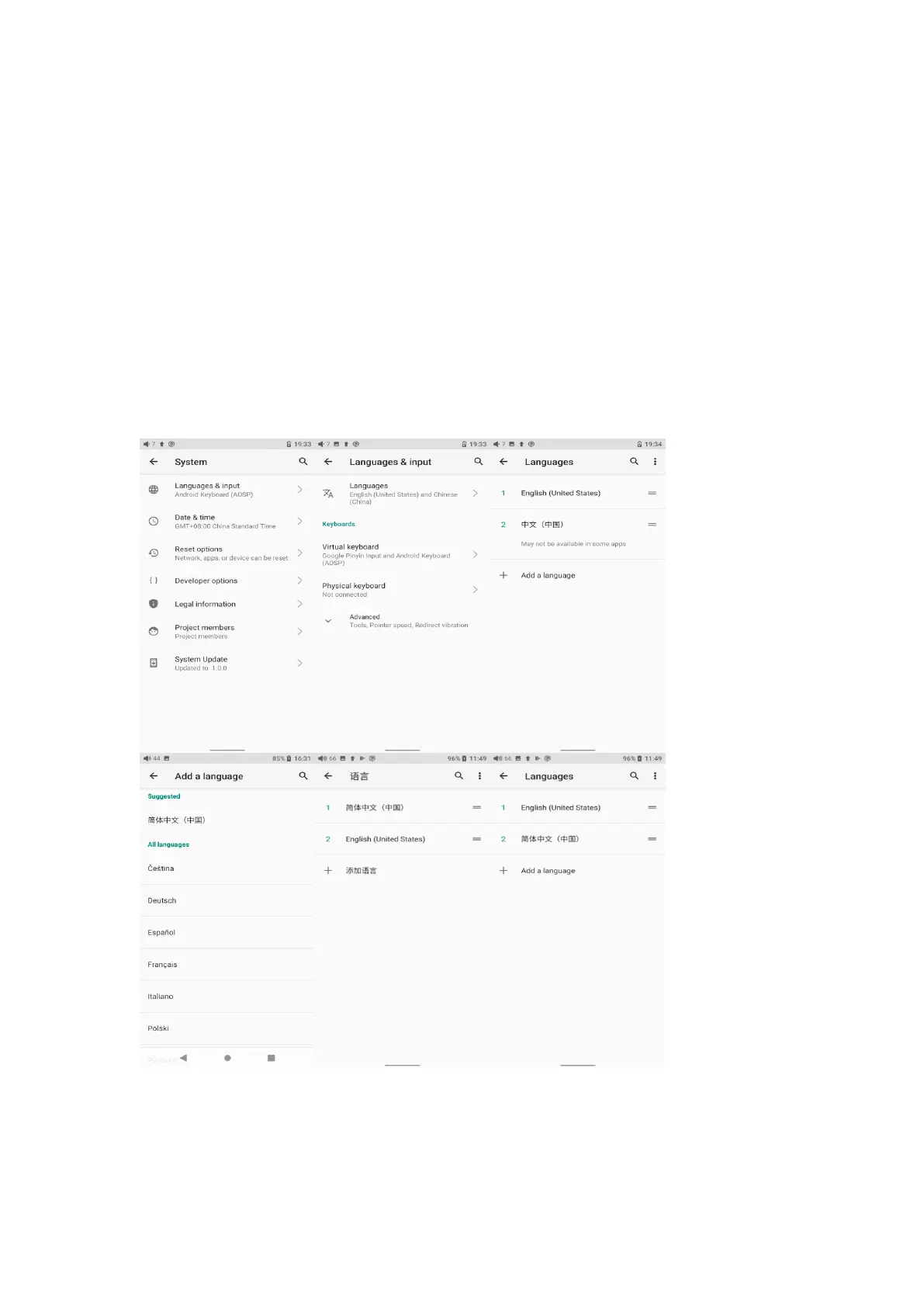
If you want to choose other languages, you can go to the Settings menu. Here
are the instructions.
1) Go to the menu of Settings-> System-> Languages & input-> Languages;
2) In the Languages page, tap Add a language;
3) Select a language;
4) After selecting the language, hold the “=” icon on the right side of the target
language and drag it to the top, so to successfully select the language.
Reset options
"Reset WiFi, mobile & Bluetooth" will reset all network settings, including WiFi



 To Next Page