7M User’s Manual 12
3.2 LCD User Interface
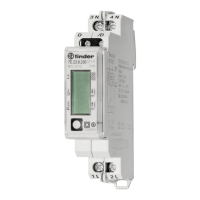
After the electrical connection, the display shows a segment check screen, software version screen and check sum screen
in a period of ve seconds. After that is visible the basic display that shows the E1 MID counter for active energy (is possible
that the display will show small amount of energy measured and/or other parameters depending on the test done in the
production line as per request by MID production procedure). In order to read the other measurements, is necessary to
touch the button “5” (see page 2) otherwise the display will continue to show the last measurement checked. For devices
with NFC technology is possible to change the display settings like brightness intensity and choose the data to show on
the display except for the MID counters (E1…4) that cannot be removed.
The LCD display allows displaying the following measurement values:
1. ENERGY METERS. We have to consider two dierent types of energy meters: resettable and non-resettable MID.
The resettable energy counter can be reset and the parameters can be modied, while the non-resettable has been
measuring the quantity continuously. The energy counter you reset starts to re-measure the value from the zero value.
I Non resettable energy counters (E1, E2 MID certied)
1. Energy counter E1
2. Energy counter E2
3. Energy counter E3
4. Energy counter E4
II Resettable energy counters
1. Energy counter C1
2. Energy counter C2
3. Energy counter C3
4. Energy counter C4
5. Energy counter C5
6. Energy counter C6
7. Energy counter C7
8. Energy counter C8
2. ACTUAL MEASURED VALUES
• Active Power
• Reactive Power
• Apparent Power
• Voltage
• Current
• Frequency
• Active Tari
• Power Factor IX. Power Angle
• THD of voltage
• THD of current
The measured values can be selected by pressing button or scroll automatically (with Auto Scroll function selected by APP).
The LCD display has three types of actions:
• short touch (≤1s ): for scrolling through the menu or measured values.
• long touch (1-4s): after 1 second, the display starts blinking and after touch release it enters in the rst level of menu
structure. Long touch is used also for every further sub-menu option or action conrmation,
• extra long touch (5s): if the touch is not released in 5 seconds, LCD returns in the initial cycling mode



 To Next Page
 Loading...