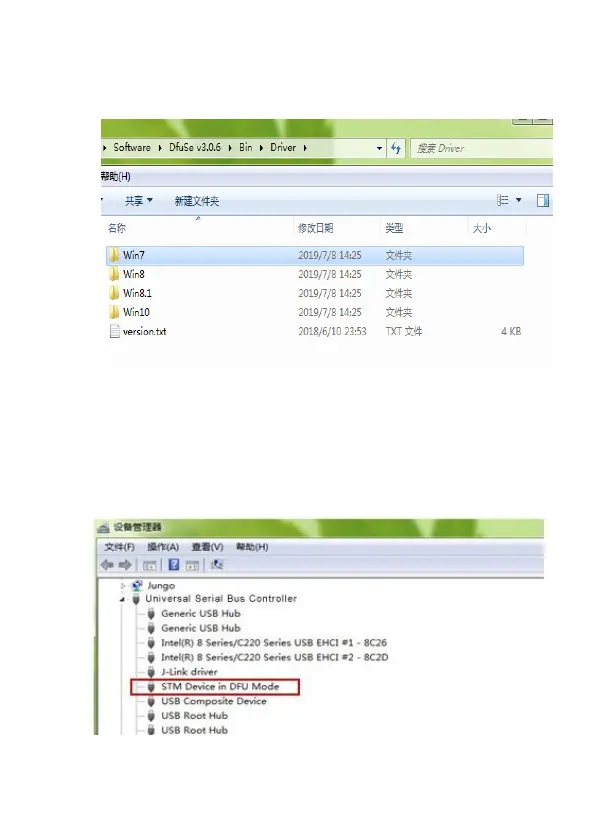
install the STM32 driver according to the
computer system.
2. After the USB driver is installed, connect the
Ultrasonic sensor to the computer with a USB
cable. In the Device Manager of the computer,
you can see that the USB has been recognized
and the STM Device in DFU Mode



 To Next Page