EasyManua.ls Logo

Finest 705 Series - User Manual

Finest 705 Series
20 pages
Print Icon
To Next Page IconTo Next Page
Loading...
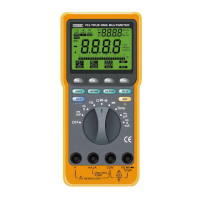
Model 705 & 707 Series
True RMS Multimeters
USER’S
MANUAL
FINE INSTRUMENTS CORPORATION
341-5, SONGNAE-DONG, SOSA-GU, BUCHON-SHI, KYUNGGI-DO
K O R E A
-TEL: (82-32) 668-6042 -FAX: (82-32) 656-5844
-E-mail: fine@finest.co.kr
© Copyright 2003 Fine Instruments Corp. All right reserved.
Specifications subject to change without notice.
Litho in Korea.
a world leader in test & measurement
Question and Answer IconNeed help?

Do you have a question about the Finest 705 Series and is the answer not in the manual?

Summary

Basic Specifications

DC Voltage

Specifies the range for DC voltage measurements.

AC Voltage, true RMS

Defines the range and bandwidth for AC voltage measurements.

Basic Accuracy

Details the accuracy for DC and AC voltage measurements.

DC Current

Specifies the range for DC current measurements.

AC Current, true RMS

Defines the range for AC current measurements.

Resistance

Specifies the range for resistance measurements.

Conductance

Defines the range for conductance measurements.

Capacitance

Specifies the range for capacitance measurements.

Frequency

Defines the range for frequency measurements.

Duty Cycle

Specifies the range for duty cycle measurements.

Diode Test

Details the voltage for diode testing.

Temperature

Specifies the temperature measurement range.

Memory Location

Indicates the number of memory locations available.

Continuity Check

Defines the threshold for continuity beeps.

1. SAFETY INFORMATION

Safety Precautions

Covers warnings and cautions for safe operation and potential hazards.

International Electrical Symbols

Lists and explains common electrical symbols used in the manual.

2. ELECTROMAGNETIC COMPATIBILITY (EMC)

3. CONTROLS AND INDICATORS

Controls and Indicators Overview

Identifies and describes the multimeter's controls and display indicators.

4. ROTARY SWITCH AND PUSHBUTTON OVERVIEW

Turning the Meter On

Instructions on how to power on the multimeter.

Rotary Switch Operation

Details on using the rotary switch to select functions.

Analog Bar-graph

Description of the analog bar graph feature for visual indication.

Pushbutton Functions

RANGE Button

Instructions for using the RANGE button for manual and auto-ranging.

MIN;MAX Mode

How to record minimum, maximum, and average readings.

1 ms PEAK Mode

Capturing transient events with 1ms peak hold.

RELA Mode

Setting the meter to relative mode for measurements.

Additional Pushbutton Operations

HOLD and Auto Hold

Functionality for freezing and automatically holding readings.

MEM and Memory Operations

Storing, recalling, and clearing measurement values.

Backlight Button

Controls the LCD backlight.

On Screen Menu Selection Keys

Using keys to navigate and select on-screen menu options.

Setup Mode

Customizing Default Settings

Configuring auto-power-off, backlight, and beep alerts.

Menu Selection Key Usage

Explains how to use menu keys for editing setup values.

RS-232 C PC-to-Meter Communications

5. METER OPERATION AND SPECIAL FEATURES

Making Measurements

General steps for performing measurements using the meter.

Voltage Measurements Overview

Introduction to voltage measurement ranges and functions.

Specific Voltage Measurement Functions

AC Voltage Measurements

Detailed operation for AC voltage measurements.

dB (dBm or dB V) Measurements

Measuring AC voltage in decibels (dBm or dB V).

DC Voltage Measurements

Detailed operation for DC voltage measurements.

AC + DC Voltage Measurements

Measuring combined AC and DC voltage components.

AC DC Dual Display Mode

Simultaneous display of AC and DC components.

Frequency and Pulse Width Measurements

Frequency Measurements

Operating the meter for frequency measurements.

Duty Cycle Measurements

Measuring the ON or OFF time of signals as a percentage.

Pulse Width Measurement

Measuring the duration of high or low signal states.

Resistance, Continuity, and Capacitance

Resistance Measurements

Instructions and tips for measuring resistance.

Continuity Test

Using the continuity function to detect opens and shorts.

Conductance for High Resistance Tests

Measuring conductance as the inverse of resistance.

Capacitance and Diode Testing

Capacitance Measurement

Procedures for measuring capacitance values.

Diode Test

Testing diodes and semiconductors by measuring voltage drop.

Temperature and Current Measurements

Temperature Measurements

Using the meter with a thermocouple for temperature readings.

Current Measurements

Guidelines for measuring AC and DC current.

Current Measurement Details

True RMS AC Amps

Measuring true RMS AC current.

DC Amps

Measuring DC current.

AC + DC total RMS Current

Measuring combined AC and DC current.

AC DC Dual Display Current

Simultaneous display of AC and DC current components.

Meter Features and Operation

Wrong Input Warning Feature

Alerts for incorrect input connections or fuse issues.

Auto; Manual Range Operation

Switching between automatic and manual ranging modes.

Beeper Operation

Understanding the beeper signals for operation and errors.

Auto - Power - Off

Explanation of the automatic power saving feature.

6. MAINTENANCE

Cleaning and Storage

Proper procedures for cleaning and storing the meter.

Auto Fuse Detection

How the meter checks fuse integrity.

Battery and Fuse Replacement

Steps for replacing the battery and fuses.

Trouble Shooting

Guidance for resolving common operational issues.

7. SPECIFICATIONS

Safety & Compliances

Details on safety standards and voltage ratings.

Certifications

List of certifications obtained by the meter.

Surge Protection

Information on the meter's surge protection rating.

Physical Specifications

Dimensions, weight, and display characteristics.

Feature Summary

Overview of key features like backlight and autoranging.

Accuracy Specifications

DC Voltage Accuracy

Accuracy tables for DC voltage measurements.

DC Current Accuracy

Accuracy tables for DC current measurements.

AC Current Accuracy

Accuracy tables for AC current measurements.

AC Voltage and Current Specifications

AC Voltage Accuracy

Accuracy tables for AC voltage measurements.

Conductance Accuracy

Accuracy for conductance measurements.

Diode Test Accuracy

Accuracy for diode test function.

Capacitance Accuracy

Accuracy tables for capacitance measurements.

Frequency, Duty Cycle, Pulse Width, and Temperature Specs

Frequency, Duty Cycle, Pulse Width Accuracy

Accuracy specifications for Frequency, Duty Cycle, and Pulse Width.

Temperature Accuracy

Accuracy for temperature measurements.

dBm and 1 ms PEAK Hold Specifications

dBm Characteristics and Accuracy

Specifications for dBm measurements.

1 ms PEAK Hold Accuracy

Accuracy for 1ms PEAK hold measurements.

Burden Voltage Specifications

Burden Voltage (A, mA, μA)

Typical burden voltage for current measurement ranges.

LIMITED WARRANTY & LIMITATION OF LIABILITY

Summary

Basic Specifications

DC Voltage

Specifies the range for DC voltage measurements.

AC Voltage, true RMS

Defines the range and bandwidth for AC voltage measurements.

Basic Accuracy

Details the accuracy for DC and AC voltage measurements.

DC Current

Specifies the range for DC current measurements.

AC Current, true RMS

Defines the range for AC current measurements.

Resistance

Specifies the range for resistance measurements.

Conductance

Defines the range for conductance measurements.

Capacitance

Specifies the range for capacitance measurements.

Frequency

Defines the range for frequency measurements.

Duty Cycle

Specifies the range for duty cycle measurements.

Diode Test

Details the voltage for diode testing.

Temperature

Specifies the temperature measurement range.

Memory Location

Indicates the number of memory locations available.

Continuity Check

Defines the threshold for continuity beeps.

1. SAFETY INFORMATION

Safety Precautions

Covers warnings and cautions for safe operation and potential hazards.

International Electrical Symbols

Lists and explains common electrical symbols used in the manual.

2. ELECTROMAGNETIC COMPATIBILITY (EMC)

3. CONTROLS AND INDICATORS

Controls and Indicators Overview

Identifies and describes the multimeter's controls and display indicators.

4. ROTARY SWITCH AND PUSHBUTTON OVERVIEW

Turning the Meter On

Instructions on how to power on the multimeter.

Rotary Switch Operation

Details on using the rotary switch to select functions.

Analog Bar-graph

Description of the analog bar graph feature for visual indication.

Pushbutton Functions

RANGE Button

Instructions for using the RANGE button for manual and auto-ranging.

MIN;MAX Mode

How to record minimum, maximum, and average readings.

1 ms PEAK Mode

Capturing transient events with 1ms peak hold.

RELA Mode

Setting the meter to relative mode for measurements.

Additional Pushbutton Operations

HOLD and Auto Hold

Functionality for freezing and automatically holding readings.

MEM and Memory Operations

Storing, recalling, and clearing measurement values.

Backlight Button

Controls the LCD backlight.

On Screen Menu Selection Keys

Using keys to navigate and select on-screen menu options.

Setup Mode

Customizing Default Settings

Configuring auto-power-off, backlight, and beep alerts.

Menu Selection Key Usage

Explains how to use menu keys for editing setup values.

RS-232 C PC-to-Meter Communications

5. METER OPERATION AND SPECIAL FEATURES

Making Measurements

General steps for performing measurements using the meter.

Voltage Measurements Overview

Introduction to voltage measurement ranges and functions.

Specific Voltage Measurement Functions

AC Voltage Measurements

Detailed operation for AC voltage measurements.

dB (dBm or dB V) Measurements

Measuring AC voltage in decibels (dBm or dB V).

DC Voltage Measurements

Detailed operation for DC voltage measurements.

AC + DC Voltage Measurements

Measuring combined AC and DC voltage components.

AC DC Dual Display Mode

Simultaneous display of AC and DC components.

Frequency and Pulse Width Measurements

Frequency Measurements

Operating the meter for frequency measurements.

Duty Cycle Measurements

Measuring the ON or OFF time of signals as a percentage.

Pulse Width Measurement

Measuring the duration of high or low signal states.

Resistance, Continuity, and Capacitance

Resistance Measurements

Instructions and tips for measuring resistance.

Continuity Test

Using the continuity function to detect opens and shorts.

Conductance for High Resistance Tests

Measuring conductance as the inverse of resistance.

Capacitance and Diode Testing

Capacitance Measurement

Procedures for measuring capacitance values.

Diode Test

Testing diodes and semiconductors by measuring voltage drop.

Temperature and Current Measurements

Temperature Measurements

Using the meter with a thermocouple for temperature readings.

Current Measurements

Guidelines for measuring AC and DC current.

Current Measurement Details

True RMS AC Amps

Measuring true RMS AC current.

DC Amps

Measuring DC current.

AC + DC total RMS Current

Measuring combined AC and DC current.

AC DC Dual Display Current

Simultaneous display of AC and DC current components.

Meter Features and Operation

Wrong Input Warning Feature

Alerts for incorrect input connections or fuse issues.

Auto; Manual Range Operation

Switching between automatic and manual ranging modes.

Beeper Operation

Understanding the beeper signals for operation and errors.

Auto - Power - Off

Explanation of the automatic power saving feature.

6. MAINTENANCE

Cleaning and Storage

Proper procedures for cleaning and storing the meter.

Auto Fuse Detection

How the meter checks fuse integrity.

Battery and Fuse Replacement

Steps for replacing the battery and fuses.

Trouble Shooting

Guidance for resolving common operational issues.

7. SPECIFICATIONS

Safety & Compliances

Details on safety standards and voltage ratings.

Certifications

List of certifications obtained by the meter.

Surge Protection

Information on the meter's surge protection rating.

Physical Specifications

Dimensions, weight, and display characteristics.

Feature Summary

Overview of key features like backlight and autoranging.

Accuracy Specifications

DC Voltage Accuracy

Accuracy tables for DC voltage measurements.

DC Current Accuracy

Accuracy tables for DC current measurements.

AC Current Accuracy

Accuracy tables for AC current measurements.

AC Voltage and Current Specifications

AC Voltage Accuracy

Accuracy tables for AC voltage measurements.

Conductance Accuracy

Accuracy for conductance measurements.

Diode Test Accuracy

Accuracy for diode test function.

Capacitance Accuracy

Accuracy tables for capacitance measurements.

Frequency, Duty Cycle, Pulse Width, and Temperature Specs

Frequency, Duty Cycle, Pulse Width Accuracy

Accuracy specifications for Frequency, Duty Cycle, and Pulse Width.

Temperature Accuracy

Accuracy for temperature measurements.

dBm and 1 ms PEAK Hold Specifications

dBm Characteristics and Accuracy

Specifications for dBm measurements.

1 ms PEAK Hold Accuracy

Accuracy for 1ms PEAK hold measurements.

Burden Voltage Specifications

Burden Voltage (A, mA, μA)

Typical burden voltage for current measurement ranges.

LIMITED WARRANTY & LIMITATION OF LIABILITY

Overview

The Finest Model 705 & 707 Series True RMS Multimeters are advanced test and measurement devices designed for a wide range of electrical measurements. These multimeters are manufactured by Fine Instruments Corporation, a company based in Bucheon-shi, Kyunggi-do, Korea, specializing in test and measurement equipment.

Function Description

The multimeters offer comprehensive measurement capabilities, including:

  • DC Voltage: Measures from 0 to 1000 V.
  • AC Voltage (True RMS): Measures from 15 mV to 1000 V with a 50 kHz bandwidth.
  • DC Current: Measures from 0 to 10 A (with a 20A capability for 30 seconds).
  • AC Current (True RMS): Measures from 25 µA to 10 A (with a 20A capability for 30 seconds).
  • Resistance: Measures from 0 to 50 MΩ.
  • Conductance: Measures from 0 to 20 nS.
  • Capacitance: Measures from 0.001 nF to 5 mF.
  • Frequency: Measures from 0.5 Hz to 5 MHz.
  • Duty Cycle: Measures from 0.1% to 99.9% for 0.5 Hz to 300 kHz (pulse width > 3 µsec.).
  • Diode Test: Provides a 3.0 V test voltage.
  • Temperature: Measures from -50 °C to 1300 °C (-58 °F to 2372 °F).
  • Continuity Check: Beeps at approximately < 10 Ω with a response time of < 1ms.
  • dBm and dB: Measures decibels relative to 1 milliwatt (dBm) and decibels relative to a user-defined voltage (dB).
  • 1ms PEAK Hold: Captures transient voltage or current signal events as short as 1ms.

Important Technical Specifications

  • Basic Accuracy:
    • DC voltage: 0.05% (Model 707), 0.1% (Model 705).
    • AC voltage: 0.3% (Model 707), 0.5% (Model 705).
  • Display (LCD):
    • Model 707: 4-4/5 digit, 50000 counts (primary display) / 5000 counts (secondary display).
    • Model 705: 3-4/5 digit, 5000 counts (primary display) / 5000 counts (secondary display).
    • Analog bar graph: 25 segments, updates 40 times/sec.
  • Safety & Compliances:
    • Maximum voltage between any terminal and earth ground: 1000 V ac/dc.
    • Complies with IEC 1010-1 (1995), UL 3111-1 (6. 1994), EN 61010-1 (1995), CSA C22.2 No. 1010.1-92; Overvoltage 1000V Category III.
    • Surge Protection: 8 kV peak per IEC 1010.1-92.
    • Fuse Protection: 1000 V / 440 mA IR 10 kA Fast fuse for mA or µA inputs; 1000 V / 11 A IR 10 kA Fast fuse for A input.
  • Input Impedance: 10 MΩ, 30 pF nominal (50 MΩ, 100 pF nominal for 50 mV & 500 mV ranges).
  • CMRR (Common Mode Rejection Ratio): > 60dB at DC to 60 Hz in AC volts, > 120 dB at DC, 50Hz and 60Hz in DC volts.
  • NMRR (Normal Mode Rejection Ratio): > 60dB at 50Hz/60Hz.
  • Battery: Single 9V battery (NEDA 1604, JIS 006P or IEC 6F 22).
  • Battery Life: 150 hrs. typical (with backlight off).
  • Dimensions (H x W x D): 208 x 103 x 54 mm (not including mounted accessory).
  • Weight: Approx. 655g.
  • Operating Temperature: 0 °C to 50 °C.
  • Storage Temperature: -20 °C to 60 °C.
  • Relative Humidity: 0 % to 80 % @ (0 °C to 35 °C), 0 % to 70 % @ (35 °C to 50 °C).
  • Altitude: Operating – up to 2000m, Storage – 10000m.

Usage Features

  • True RMS Measurement: Accurately responds to effective RMS values regardless of waveform shapes, including non-sinusoidal signals with harmonics.
  • Rotary Switch and Pushbuttons: Intuitive interface for selecting functions and activating special features.
  • On-Screen Menu Selection: Allows for alternate functions and modifiers for selected measurements.
  • Auto/Manual Ranging: Users can manually select ranges or allow the meter to auto-range for convenience.
  • MIN/MAX/AVG Mode: Records and displays minimum, maximum, and average values over time, with an audible beep for new updates.
  • RELA (Relative Mode): Sets the meter to relative mode, displaying the difference between the current measurement and a stored or programmed reference value.
  • HOLD/Auto Hold: Freezes the display for later viewing; Auto Hold automatically freezes stable readings and updates when a new stable value is detected.
  • Memory Mode (MEM): Stores up to 20 measurement values, allows recall, and clearing of stored data.
  • Backlight: Illuminates the display for clear readings in poorly lit environments.
  • Auto Power Off: Extends battery life by automatically entering a power-saving mode after 15 minutes of inactivity and then completely turning off. This feature can be disabled or adjusted via the Setup Menu.
  • Wrong Input Warning Feature: Alerts the user with a beeper and display messages (LEAd or Fuse) if test leads are incorrectly connected for current measurements, preventing damage to the meter or circuit under test.
  • RS-232C PC-to-Meter Communications: Equipped with an optically isolated interface for data communication with a PC using the RS 70 optical adapter cable and WS 70 software.
  • AC+DC Total RMS and AC DC Dual Display: Allows for combined AC+DC RMS measurements or simultaneous display of AC and DC components of a signal.
  • Positive and Negative Duty Cycle Measurement: Optimized for measuring ON or OFF time of logic and switching signals, with an indicator for negative duty cycle.

Maintenance Features

  • Cleaning and Storage: Case can be wiped with a damp cloth and mild detergent. Input terminals should be cleaned with alcohol. For long-term storage (over 60 days), the battery should be removed.
  • Auto Fuse Detection: The meter automatically verifies the integrity of its internal fuses when a test lead is plugged into current terminals, displaying "FUSE" if an open fuse is detected.
  • Battery and Fuse Replacement: Uses a standard 9V battery and specified fast-acting fuses (1000V/440mA IR 10kA for mA/µA, and 1000V/11A IR 10kA for A). Instructions are provided for safe replacement.
  • Troubleshooting: Guidance is provided for checking the meter's operation after battery or fuse replacements. In cases of high voltage transients damaging internal components (series fusible resistors, spark gaps), replacement by qualified personnel is required, with warranty information for repair services.
  • Calibration Interval: 1 year.
  • Warranty: 3 years for defects in material and workmanship under normal use and service. The warranty excludes fuses, batteries, misuse, alteration, neglect, or accidental damage.

Finest 705 Series Specifications

General IconGeneral
BrandFinest
Model705 Series
CategoryMultimeter
LanguageEnglish

Related product manuals