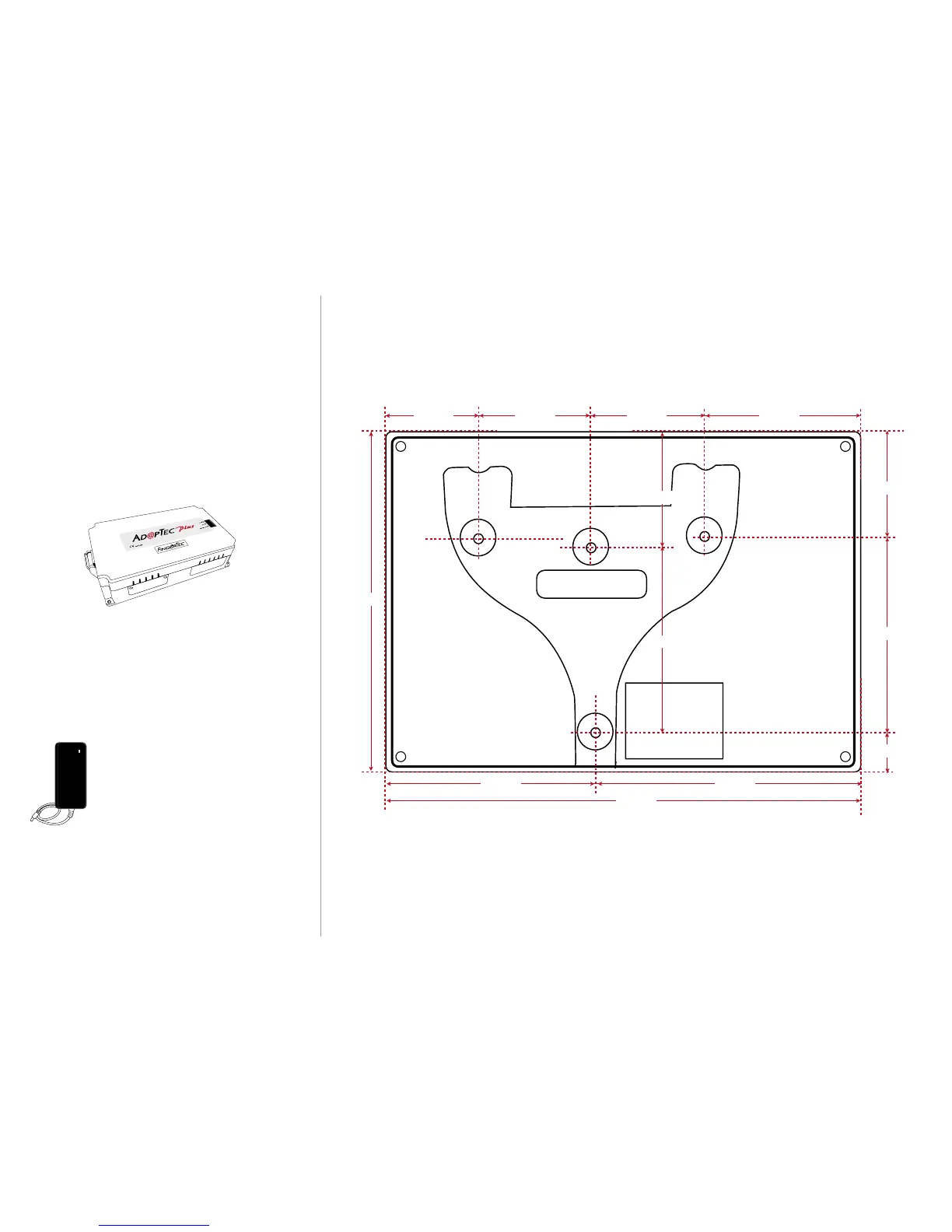
134 mm
184 mm
84 mm 100 mm
40 mm40 mm44 mm 60 mm
70mm
68mm
41mm
39mm
25mm
Step 5
Finalizing the Installation
1. Check that all cable connections are done correctly.
2. Attach the terminal to the corresponding back plates and
tighten the screws to secure the terminal on the wall.
3. Switch on the power to the terminal.
4. Start using the terminal.
Other Accessories
FingerTec offers complementing accessories which can be used with
your terminals. These optional accessories are available at
http://accessory.fingertec.com
AdapTec Plus
The AdapTec Plus is a 12VDC power supply inclusive of a 110~240VAC
switching linear power. The AdapTec supplies 12VDC power to the
FingerTec terminal and door lock system as well as charges a 12VDC
7.0Ah backup battery simultaneously. During an event of a power
failure, the back up battery automatically provides power to the
terminal and maintains the door lock system.The AdapTec Plus also
prevents a secured door from being opened if it has been tampered
with.
Mini UPS
Mini UPS 12VDC is a mini portable backup pow-
er supply with 12VDC output, supplying 12VDC
power for FingerTec Time Attendance terminals.
meddled with by unauthorized persons.
Flexi Kit
A simple stand which can be used to support your terminal. You can
use Flexi-Kit and convert your terminal into a desktop unit. By install-
ing the terminals onto a Flexi-Kit, you do not need to go through the
process of mounting your terminals on a wall. The simplicity of the
Flexi-Kit’s design ensures that it is portable and easy to set up, mak-
ing it ideal as a demonstration prop too.
Appendix I
Terminal Dimensions and Measurements
Front View of Back Plate


 To Previous Page
 Loading...