Date & Time Setting
Download the “time.txt” file from: www.FireCam.com
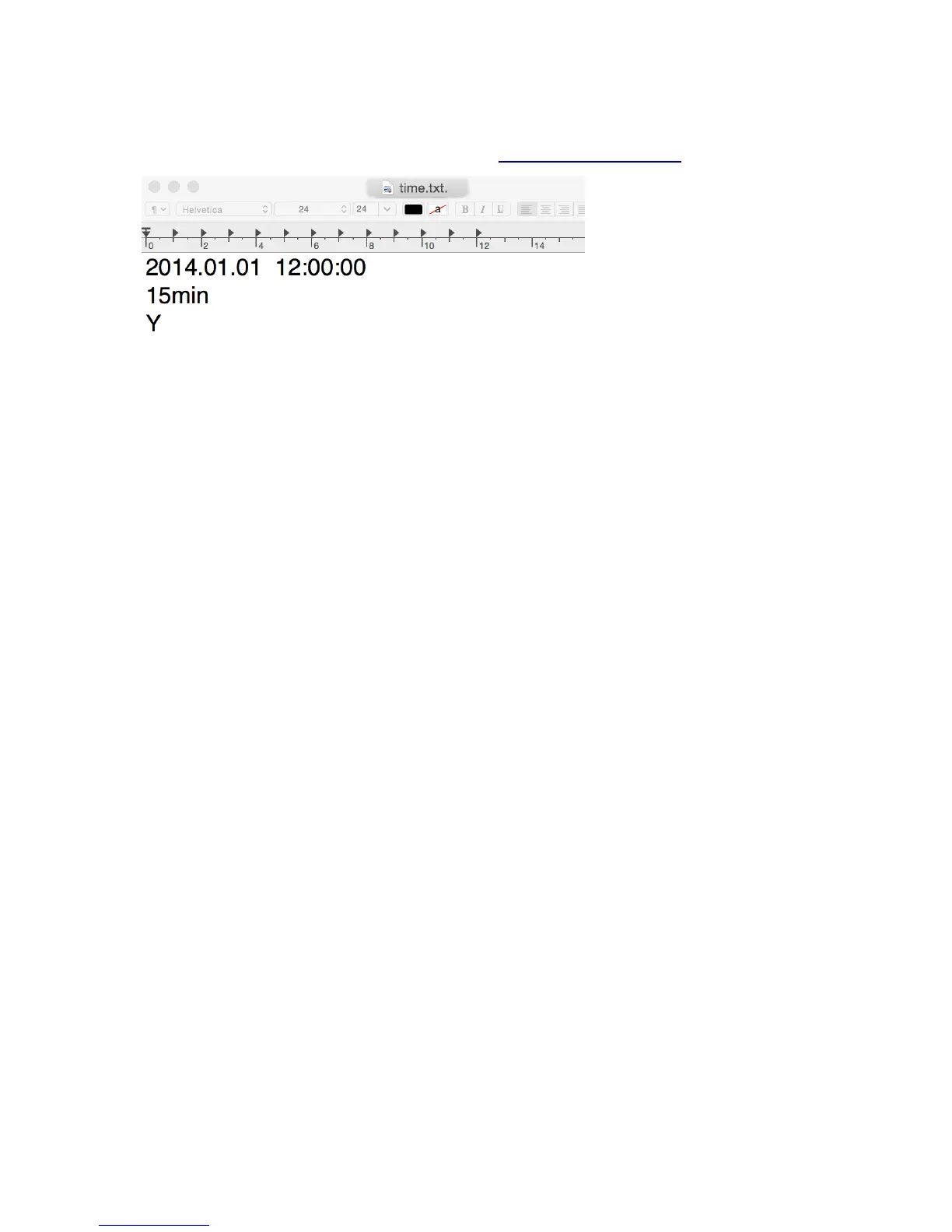
Open the file “time.txt” and change the date & time as follows:
(1) YYYY.MM.DD hh:mm:ss
Y = year h = hour
M = month m = minutes
D = day s = second
(2) Video Segmentation
The default setting is 5min. You may choose 10min/15min/20min
30min.
(3) Y/N?
Y = show the date & time stamp on videos and photos
N = do not show the date & time stamp on videos and photos
Then copy the file to the formatted SD card. Now take a video or
photo to test it.


 To Next Page