Flight Operation Steps
7
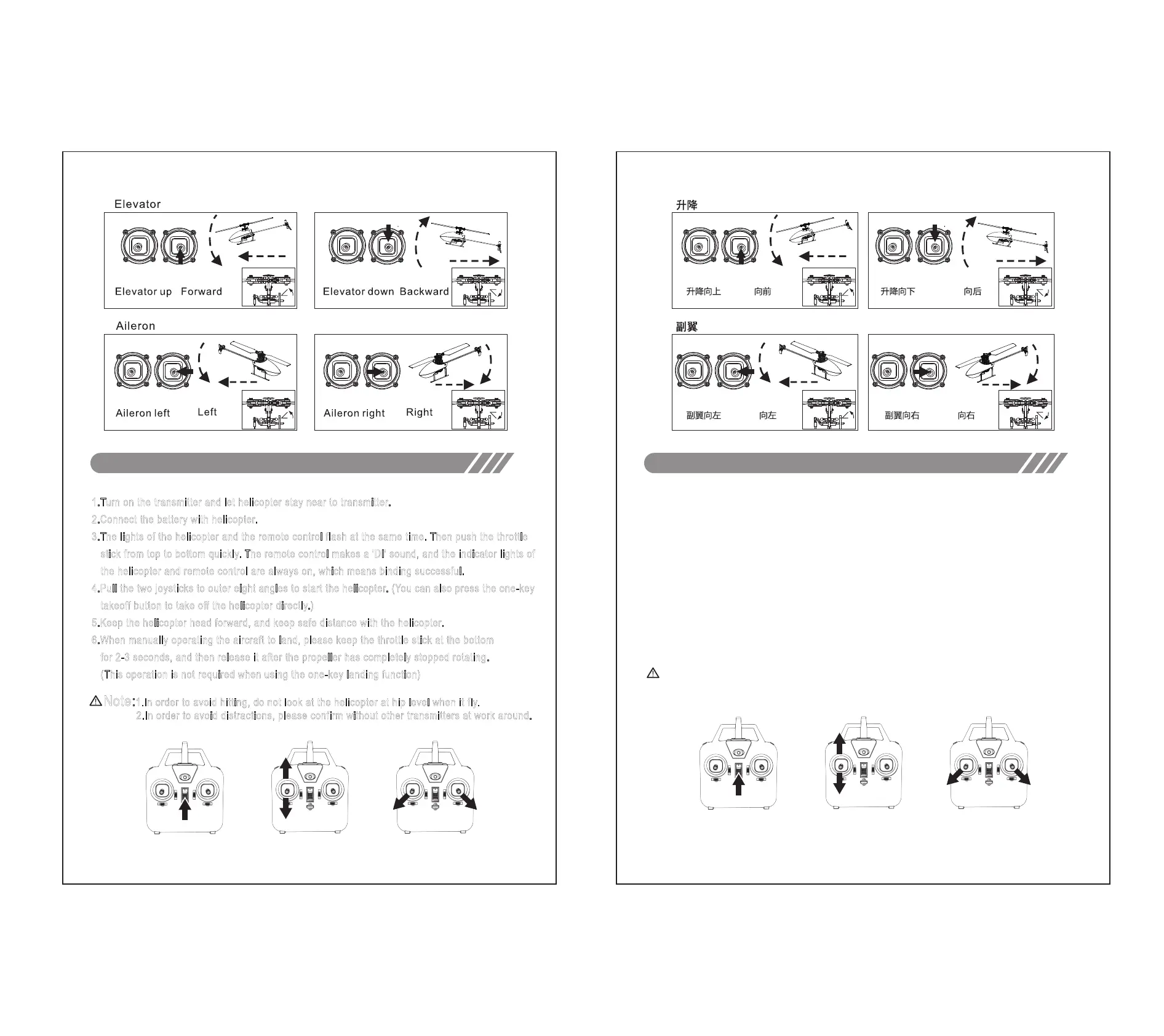
1.Turn on the transmitter and let helicopter stay near to transmitter.
2.Connect the battery with helicopter.
3.The lights of the helicopter and the remote control flash at the same time. Then push the throttle
stick from top to bottom quickly. The remote control makes a 'DI' sound, and the indicator lights of
the helicopter and remote control are always on, which means binding successful.
4.Pull the two joysticks to outer eight angles to start the helicopter. (You can also press the one-key
takeoff button to take off the helicopter directly.)
5.Keep the helicopter head forward, and keep safe distance with the helicopter.
6.When manually operating the aircraft to land, please keep the throttle stick at the bottom
for 2-3 seconds, and then release it after the propeller has completely stopped rotating.
(This operation is not required when using the one-key landing function)
Corresponding to step 1 Corresponding to step 3 Corresponding to step 4
飞行操作步骤
7
对应步骤1 对应步骤3 对应步骤4
1.打开遥控器电源开关。
2.将飞机电池安全安装到电池仓。
3.飞机和遥控器灯光同时闪烁,此时将遥控器油门摇杆向上推到底并迅速拉下来,遥控器滴一声响,
飞机和遥控器指示灯常亮,对码完成。
4.将摇杆同时打到外八角度启动飞机。(也可以按一键起飞按键,直接起飞直升机)
5.保持飞机头部对准前方,与直升机保持安全距离。
6.当手动操作直升机降落后,请保持油门摇杆向下位置2-3秒钟,等螺旋桨完全停止转动后再松开摇杆。
(使用一键降落不需此动作)
注意:1.直升机飞起来后,眼睛切勿与直升机平视,以免误伤。
2.对码时请确定周围没有同一型号遥控器打开,以免影响对码。
Note:1.In order to avoid hitting, do not look at the helicopter at hip level when it fly.
2.In order to avoid distractions, please confirm without other transmitters at work around.
FIREFOX
火狐


 To Next Page
 Loading...