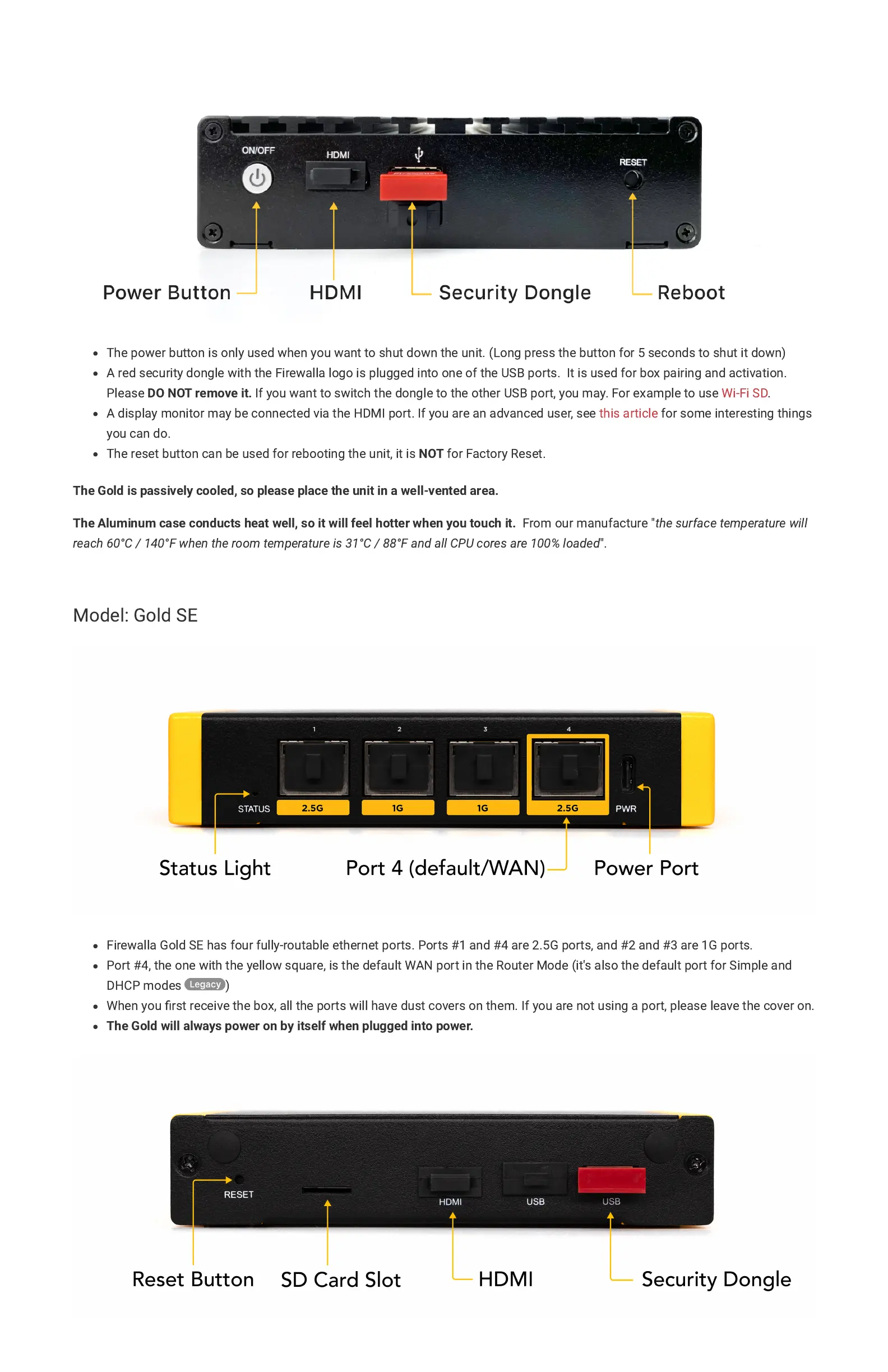
The power button is only used when you want to shut down the unit. (Long press the button for 5 seconds to shut it down)
A red security dongle with the Firewalla logo is plugged into one of the USB ports. It is used for box pairing and activation.
Please
DO NOT remove it.
If you want to switch the dongle to the other USB port, you may. For example to use
Wi-Fi SD
.
A display monitor may be connected via the HDMI port. If you are an advanced user, see
this article
for some interesting things
you can do.
The reset button can be used for rebooting the unit, it is
NOT
for Factory Reset.
The Gold is passively cooled, so please place the unit in a well-vented area.
The Aluminum case conducts heat well, so it will feel hotter when you touch it.
From our manufacture "
the surface temperature will
reach 60°C / 140°F when the room temperature is 31°C / 88°F and all CPU cores are 100% loaded
".
Model: Gold SE
Firewalla Gold SE has four fully-routable ethernet ports. Ports #1 and #4 are 2.5G ports, and #2 and #3 are 1G ports.
Port #4, the one with the yellow square, is the default WAN port in the Router Mode (it's also the default port for Simple and
DHCP modes )
When you
fi
rst receive the box, all the ports will have dust covers on them. If you are not using a port, please leave the cover on.
The Gold will always power on by itself when plugged into power.


 To Next Page
 Loading...