EasyManua.ls Logo

FIRMADOOR Remote Control Operator - Page 6

Default Icon
7 pages
Print Icon
To Next Page IconTo Next Page
To Previous Page IconTo Previous Page
Loading...
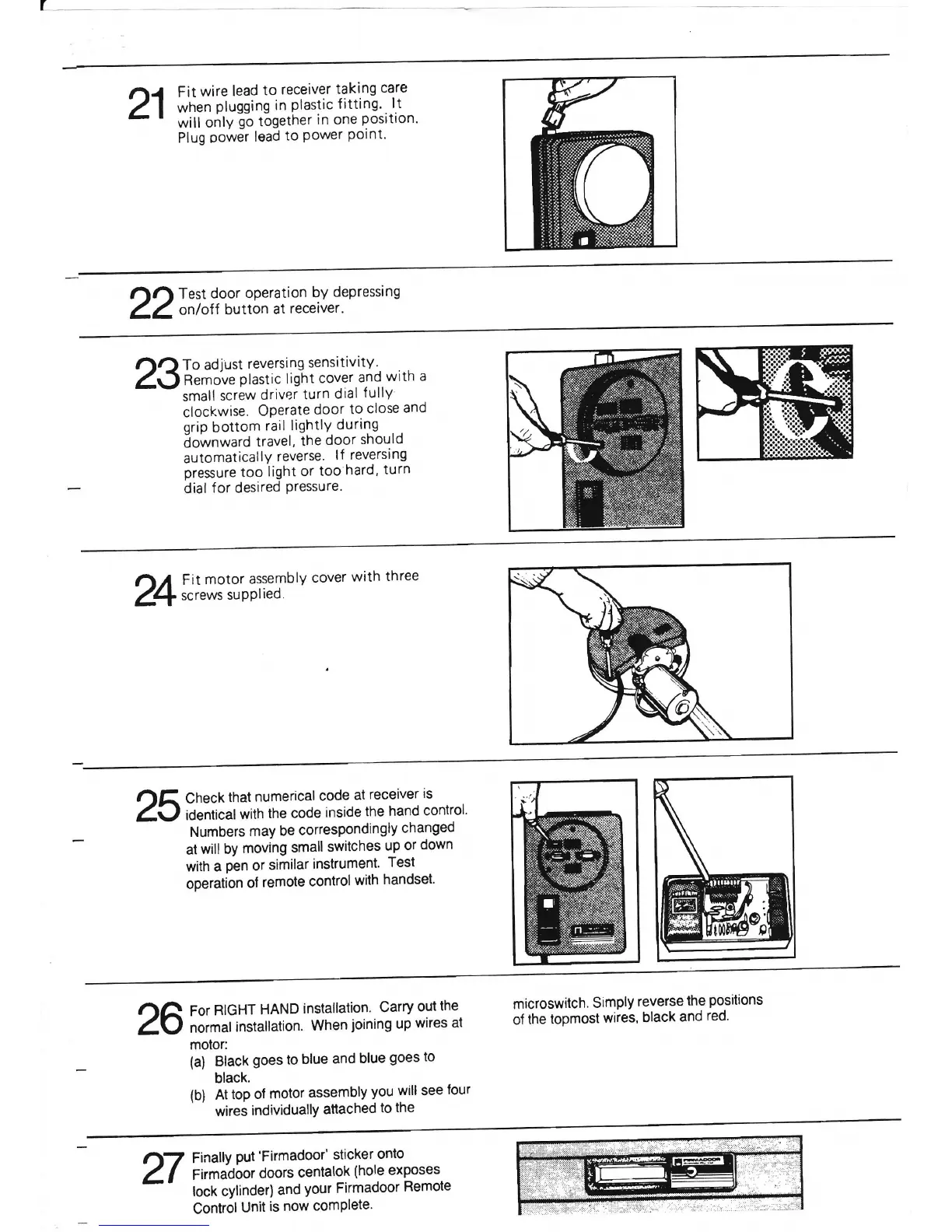
21
Fit
wire
lead
to
receiver
taking
care
when
plugging in
plastic
fitting.
l.t
will
onlyio
togetner
in
one
position'
Plug
oower
lead
to
Power
Point'
nr.l
Test
door
operation
by
depressing
ZZ
on/off
button
at
receiver.
23
To
adjust
reversing
sensitivity.
Remove
plastic
light
cover
and
with
a
small
screw
driver
turn
dial
f
ullY
clockwise.
Operate
door
to
close
and
qrio
bottom
rail lightlY
during
iownward
travel,
the
door
should
automatically
reverse.
lf reversing
pressure
too
light
or
too
hard,
turn
dial
f or desired
Pressure.
,1/
Fit
motor
assembly
cover
with
three
1+
screws
supplied.
25
Check
that
numerical
code
at
receiver
is
identical
with
the
code
inside
the
hand
control'
Numbers
may
be
correspondingly
changed
at
will by
moving
small
switches
up
or
down
with a
pen
or
similar
instrument.
Test
operation
of
remote
controlwith
handset'
26
For
RIGHT
HAND
installation.
Carry
out
the
normal
installation.
When
joining
up
wires
at
motor:
(a)
Black
goes to
blue
and
blue
goes
to
black,
(b) At
top
of
motor
assembly
you
will
see
tour
wires
individuallY
aftached
to the
microswitch.
Simply
reverse
the
positions
of
the
topmost
wires,
black
and
red.
Finally
put'Firmadoor'
sticker
onto
Firmadoor
doors
centalok
(hole exposes
lock cylinder)
and
your Firmadoor
Remote
ControlUnit
is
now
comPlete'
27

Related product manuals