(4) Driver Installation 3
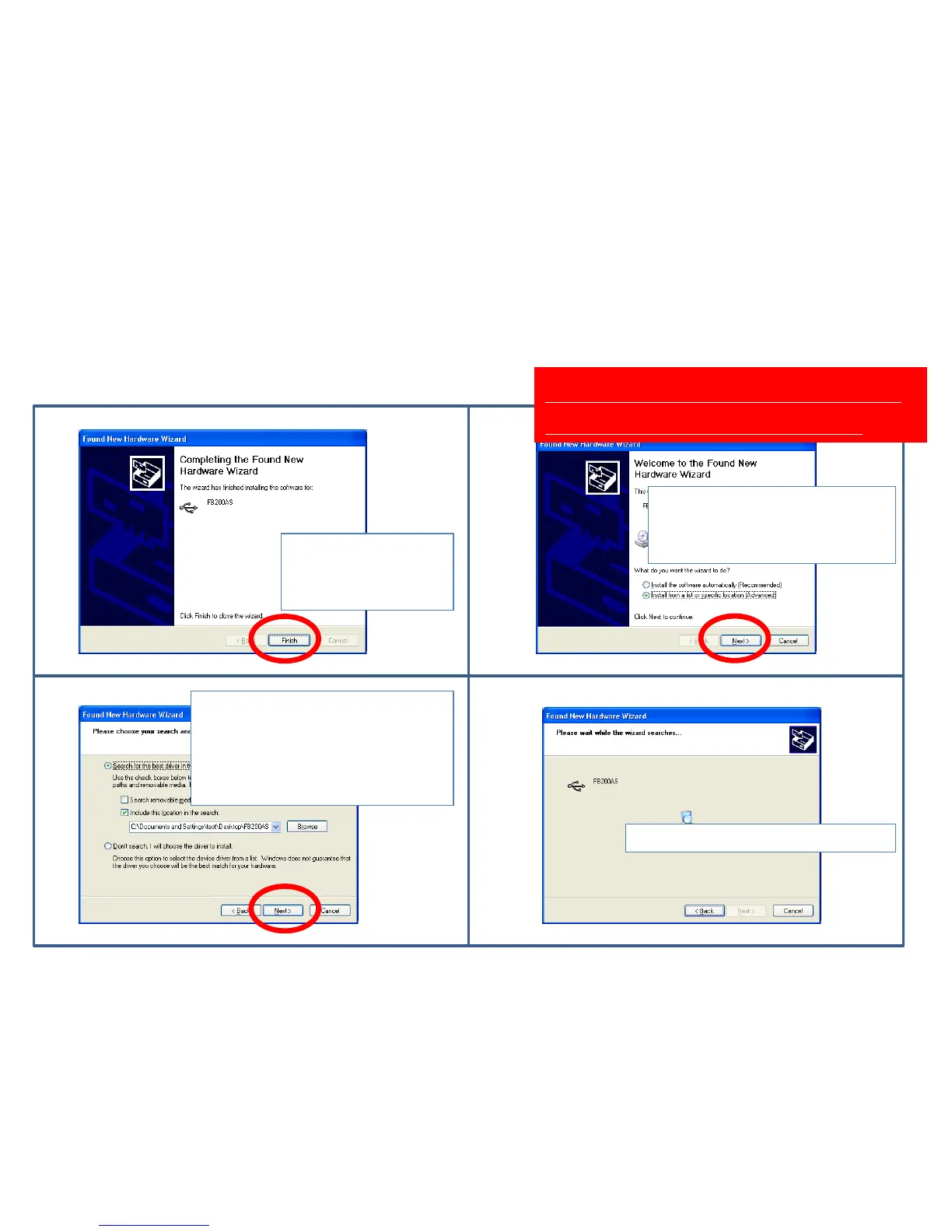
Click “finish.”
Driver installation is
not finished yet.
Select a (Advanced) of list or
specific location installation.
Click "Next."
Soon, Driver installation will
be processed once more.
Click"Next" because a setup
route is still remained at the
first installation.
Select a setup route at the first
installation if a route is wrong.
Wait while a index is progressed.
⑼ ⑽
⑾ ⑿



 To Next Page