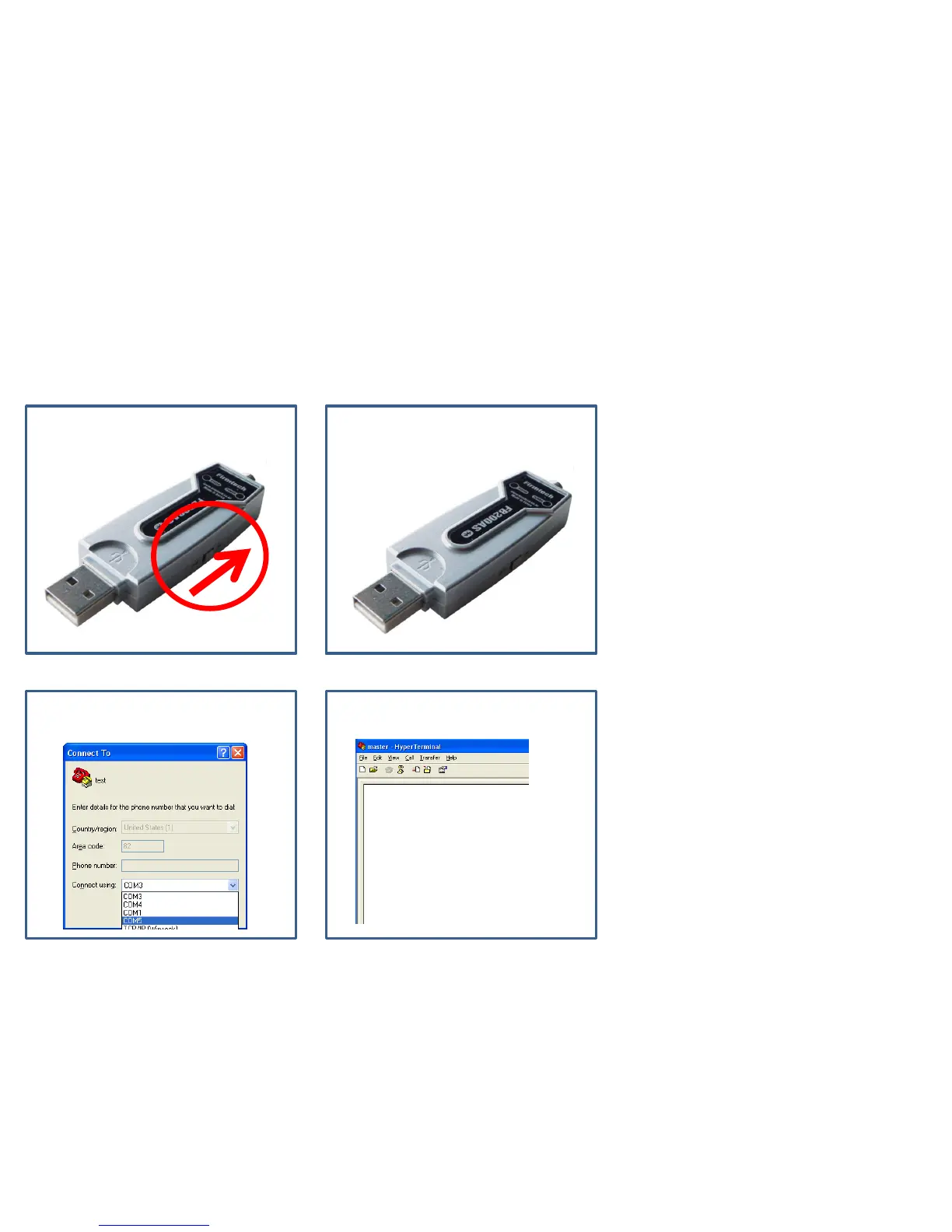
(4) Virtual Serial Port & FB200AS
⑴ Power-Supply ON ⑵ Message Output
⑶ Virtual Port OPEN ⑷ No Message
• Start Message is made out if power-
supply of FB200AS is ON.
• Virtual Port is created after power-
supply of FB200AS is ON.
• Serial communication program is
available after virtual port creation.
• Can not see operation-situation
(Start Message etc) immediately just
after ON of module power supply if
serial communication program is
used a virtual port.
• In case of using a virtual port, a user
can not see Start Message output of
FB200AS immediately.



 To Next Page