7
Frequently asked Questions
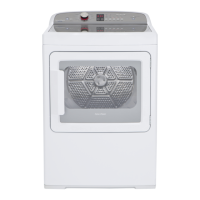
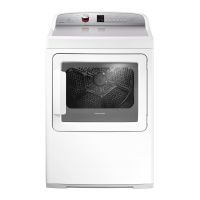
1) Why does AeroSmart Stop and Start all the time?
The AeroSmart dryer has Reverse Action Tumbling. It tumbles in one direction for 4
minutes then stops, and tumbles in the opposite direction for 40 seconds. This reduces
tangling, roping and wrinkling and increases drying performance by giving you more
even drying.
2) What is that noise AeroSmart makes after I press Start?
This noise is AeroSmart locking the lid and closing the drum.
3) What are the different drying options and what are they designed for?
Drying Cycles Description
Regular
A high heat setting for drying every day clothing and linen. This cycle is suitable for
most garments labelled ‘Tumble dry’
Bed Sheets
This cycle has been designed to complement the AquaSmart SHEETS cycle. This
autosensing high heat cycle has Wrinkle Free automatically selected to reduce
wrinkles and ensure the best result possible for cotton and poly cotton sheets
.
Heavy
Designed to provide a long, high heat cycle for heavy fabrics and denims that tend to
have thick and bulky seams.
Delicate
This light cycle is great for delicate or heat sensitive items, as it restricts the cycle to
a low heat. Use this setting when care labels recommend a low heat setting.
Easy Iron
This setting uses a medium heat combined with the selection of the Wrinkle Free
option. It is ideal for reducing the need to iron garments once the cycle is complete.
Casual
This setting uses a medium heat for light-weight fabrics. It is ideal for light-weight
cottons and items labelled ‘Tumble with a medium heat’.
Bulky
This drying selection offers 6 customised Bulky cycle options – Comforter, Blanket,
Jacket, Pillows, Throw, Sleeping Bag. This ensures the right drying conditions for
each item type.
Air Dry
For items that require drying without the use of heat. Perfect for airing clothes or
drying delicate garments
In addition to these main drying cycles there are an additional 18 pre-programmed
speciality Lifestyle cycles for exceptional drying results with no experience necessary.
4). How often do I have to empty the Lint Bucket?
You need to empty the lint bucket before it reaches the top of the transparent section.
How often you empty it depends on the types of garments that you dry in your dryer.
You will need to empty it approximately once a week. If you dry a lot of towels you will
need to empty it more often. AeroSmart will remind you after every 5
th
cycle to empty
the lint bucket if it is full.



 To Next Page
 Loading...