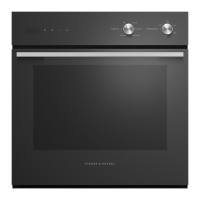
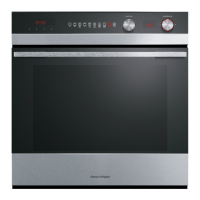
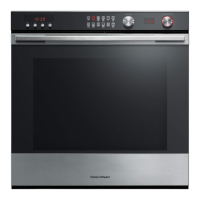
12
FIRST USE - THE CONTROL PANEL
Illustrative purposes only -
oven function indicators may vary.
Display
Using the touch controls
●
Use the ball of your finger, not its tip. The controls respond
to touch, so you don’t need to apply any pressure.
Locking the control panel
This function is to prevent accidental use of the oven (eg by children).
When locked the controls are unresponsive and the oven will not turn on.
To lock:
Touch and hold the select
control until the indicator light comes on.
To unlock:
Touch and hold the cancel control.
REMOTE
1200
:
Fan
Forced
Pastry
Bake
Aero
Bake
Grill Fan
Grill
Function indicators
(see ‘Oven functions’)
Function dial
Temperature
indicator
Temperature dial
Function halo
Temperature halo
REMOTE
1200
:
Timer
indicator
(see’ Using
the timer’)
Some models only
Wireless indicator
(see ‘User
preference settings’)
Cooking time indicator
(see ‘Automatic cooking’)
Stop time indicator
(see ‘Automatic cooking’)
Scroll
Select Cancel
Keylock indicator
(see ‘Locking the
control panel’)
Meat Probe indicator
(see ‘Using the meat
probe’)
Some models only
Remote Mode
indicator
Some models only



 To Next Page
 Loading...