8
FIRST USE
Setting the clock
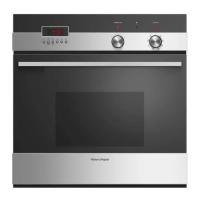
When your oven is first turned on, or
after a power cut, the display will flash.
You will need to set the clock in order
to use the oven.
1 The display will flash 24 Hr.
4 Press the left and right
scroll
buttons to set the time.
2 Press the right scroll
button to scroll
between 24 Hr and 12 Hr
3 Press the select
button to confirm.
5 Press the select
button to confirm.
The time set will now be steadily lit.
Changing the time
Set the clock within the user
preference menu.
5 Press the left and right scroll
buttons to set the time.
6 Press the select
button to confirm.
3 Press the right scroll
button to scroll
between 24 Hr, 12 Hr or OFF to
turn the display off (see ‘Setting User
preferences’ for more information).
4 Press the select
button to confirm.
1 To enter the user preference menu,
press and hold the left and right scroll
buttons together for 3 seconds.
The display will either flash 12 Hr
or 24 Hr
2 Press the select
button to confirm.
The display will flash.


 To Next Page
 Loading...