012
G
• Press the image forward or image back buttons to review the pictures you have taken.
• When you are finished reviewing, the camera switches back to normal picture taking mode in a few seconds.
E
• Pulsar los botones “foto siguiente” o “foto anterior” para ver las fotos que se han tomado.
• Al terminar de ver las fotos, la cámara vuelve automáticamente a la modalidad de tomar fotos en unos segundos.
19
G
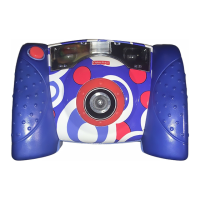
Image Back Button
E
Botón foto anterior
G
Image Forward Button
E
Botón foto siguiente
GReviewing Pictures ECómo ver fotos


 To Next Page
 Loading...