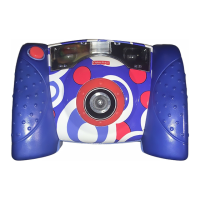
Taking a Picture
• Have your child look through the viewfi nder or look at
the LCD screen to see the picture subject.
• While holding the camera steady, press the shutter button
on the front of the camera. Listen for a “shutter sound”
and look for the camera
icon on the LCD screen.
• The picture you just took will stay on the LCD screen for
a few seconds so you can make sure you “got the shot.”
Hint: The number on the LCD screen indicates the
number of pictures taken.
Shutter Button
13


 To Next Page
 Loading...