Let’s Go!
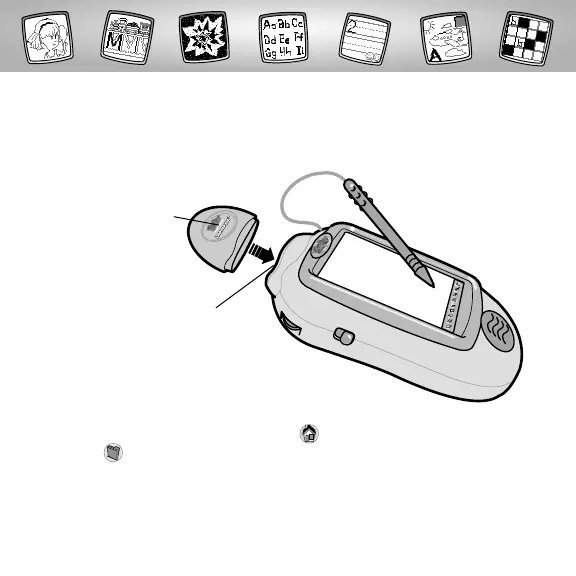
Software Port
Learning Fun™
Software Cartridge
• Some of the tools on the tool menu are not available
for use during some activities or games. If a tool is not available
for use, you will hear a tone.The Home and the Save It (and Volume
Control) tools are always available for use.
• Please keep this manual for future reference, as it contains important
information.
IMPORTANT! If the tip of the stylus and the image on screen do not align, it’s
time to calibrate them! Please refer to page 24, Calibrating the Stylus.
Before inserting a software cartridge, turn power off! Insert the
software cartridge into the software port.Turn power back on.
2



 To Next Page
 Loading...