6
HOW TO CHARGE
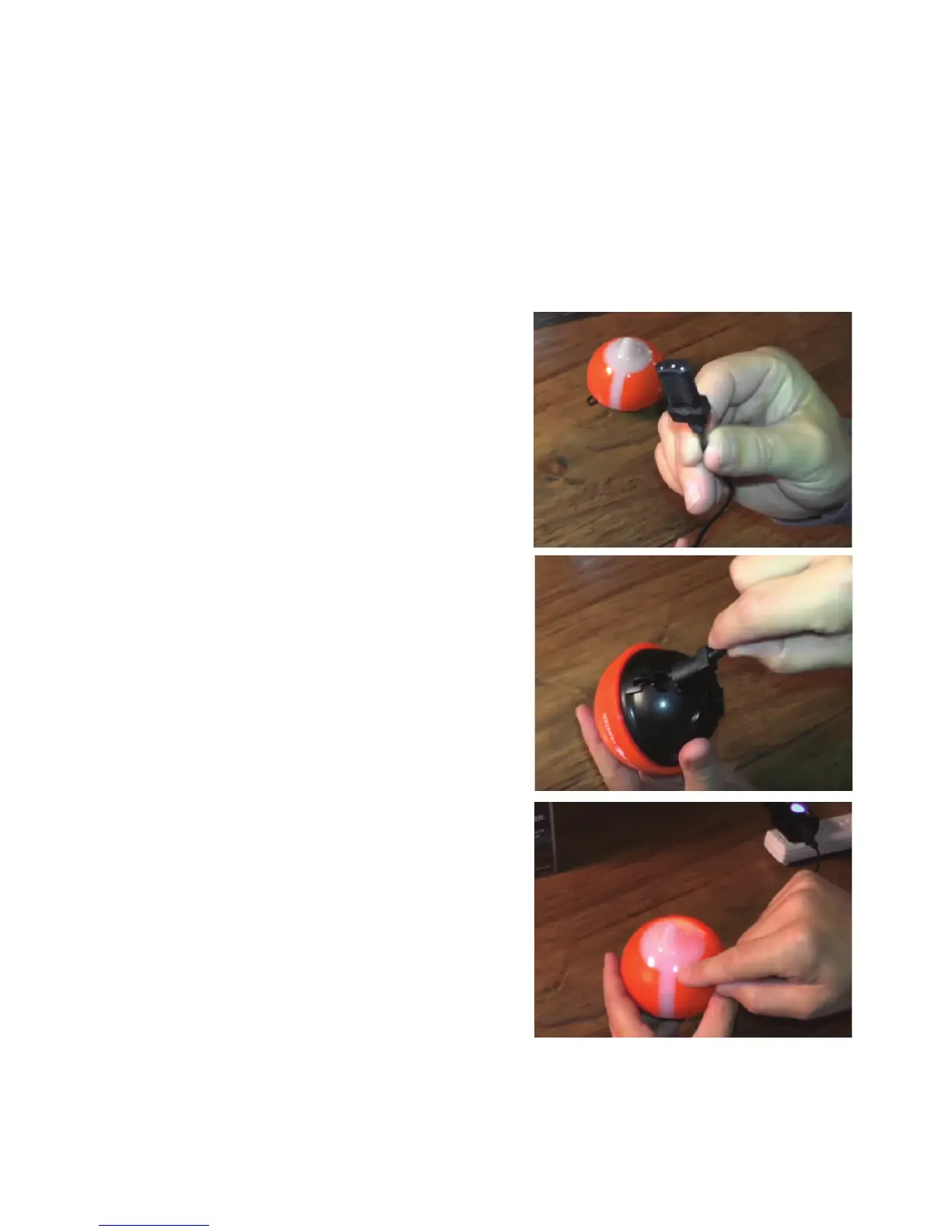
Step 2: Locate the 3 pin charging port on
the bottom of the sonar. It is on the
opposite side from the tow point at the
back of the sonar.
Charging your FishHunter can be done
in 4 easy steps:
Step 1: Take the USB charge cord from the
box and hold the end that has 3 pins holes
in it.
Step 3: Push the USB cord into the bottom
of the sonar so that it is in snugly. You will
notice that you MUST slide the charge
cord past the transducer on the bottom of
the sonar which makes it slightly diffi cult
to get the charge chord into the side of the
unit. This is the correct way to ensure a
good connection with your sonar.
Step 4: Plug the USB cord into the charger
or any USB charger. A red light will appear
on the top of the sonar and stay on until
fully charged.
Please see the charging video at:
www.fi shhunter.com/support
Step 1
Step 2, 3
Step 4



 To Next Page